In TrustRadius's 2026 buying research, 63% of technology buyers used AI to research a software purchase. And 94% of those buyers fact-check what the AI tells them at least some of the time.
That means your docs reach an engineer twice: once through the assistant that sums them up, and again when the engineer clicks through to check. Thin or outdated pages lose you both moments.
That's why I'm sharing what I've learned over the past 10+ years growing B2B SaaS brands, part of it in automation testing. You'll get eight steps, with real examples from Stripe, Snyk, Databricks and DigitalOcean.
What is B2B tech SEO?
B2B tech SEO is the work of getting a technical product found by engineers and IT leaders in search engines and AI assistants. Think developer tools, cloud platforms, security software and data platforms.
It works like any B2B SEO program, with two big differences. Your best pages are often public docs and developer content, and an engineer has to check them for accuracy before they go live.
Why B2B tech SEO matters for technical buyers
Engineers shape software purchases even when someone else signs the contract. In the 2025 Stack Overflow Developer Survey, about 1 in 5 developers said they influenced a substantial addition to their company's tech stack in the past year.
When they picked a tool for work, a complete API ranked first, and security or privacy concerns were the top reason to reject one. So your API reference and security pages are sales pages too.
And humans aren't the only readers. On docs hosted by Mintlify, a documentation platform, AI coding agents made 45.3% of about 790 million requests over 30 days, almost level with browsers at 45.8%. Step 8 covers how to write for that second audience.
Our B2B SEO strategy guide covers the basics for any B2B site. If you sell IT services, SEO for tech and IT companies is the closer fit.
How to do B2B tech SEO: 8 steps
Here's my process. Work through the steps in order, since the early steps decide which pages the later ones improve.
1. Map the searches engineers and IT leaders run
Technical buyers search in four main ways: for a task, an error, a comparison or a concept. They type the exact names of tools, settings and error codes, so each kind of search needs its own type of page.
I used to work in automation testing, so here's a search from that niche. A November 2025 search for "api automation testing tools" returned a product page, a forum thread and two listicles:
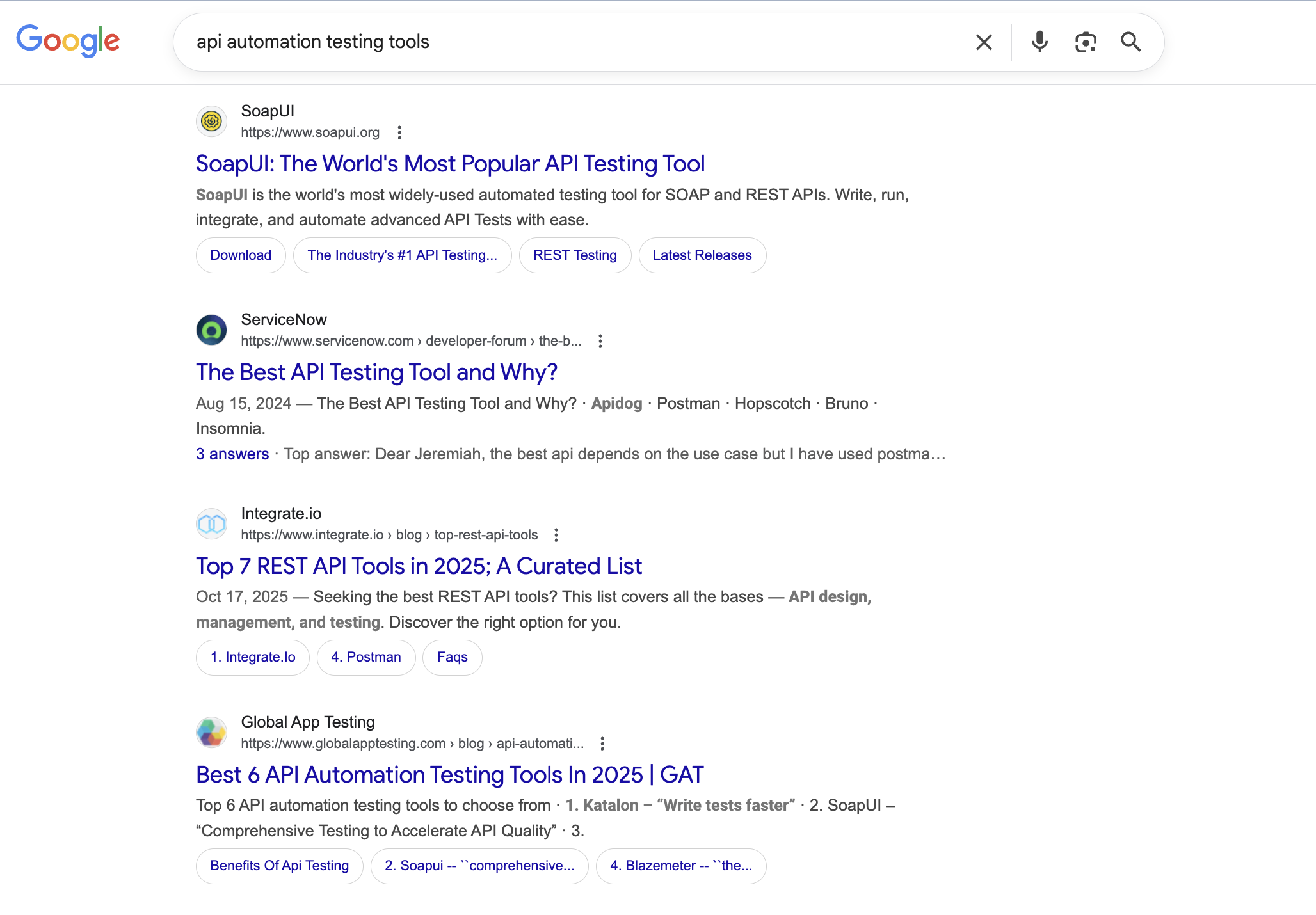
Broad searches like this mix intents, so search each target query yourself before you plan the page. The pages that rank show you the format Google expects. Here's how to build the map:
- List task searches: Pull common tasks from support tickets and onboarding calls, such as "rotate AWS access keys." Each one gets its own docs page with working steps and code.
- Collect error messages: Ask support for the errors customers paste most often, word for word. Engineers paste errors straight from a terminal, so quote the exact text on the page.
- Find comparison searches: Note searches that pair your category with another tool, such as "Terraform vs Pulumi." Each one needs a fair comparison page with a table of facts.
- Group concept searches: Gather "what is" searches such as "what is a service mesh", and plan a glossary entry for each one.
- Add vendor checks: IT and security leaders search for SOC 2 reports, single sign-on, data residency and pricing. Answer each one in the first paragraph of its own page.
Then check the demand behind each search with your favorite keyword tool. Mine are SEMRush, Google and Reddit, and Reddit is great for finding the exact words engineers use.
2. Open your docs to search and organize them by task
Docs rank for the task and error searches that marketing pages rarely match, because they hold the real steps and code. Engineers also read them to judge a product during evaluation.
In the same Stack Overflow survey, technical documentation was the top resource developers used to learn. That's why I don't recommend hiding docs behind a login. Here's how to make them work for search:
- Keep guides public: Leave guides and API reference open to crawlers, with login walls on account pages only. Recheck robots.txt and noindex tags after every docs migration.
- Give each task its own URL: Title each page with the task a developer types, in their own words, such as "Accept a payment."
- Open with a summary: Start each page with one sentence on what the reader will build or fix, such as "Set up single sign-on with Okta for your workspace."
- Link to the next decision: Link from docs to your pricing and security pages where a reader is ready to decide. A single sign-on guide, for example, can link to your SOC 2 page.
- Cover nearby jobs: Publish tutorials for nearby tasks your product touches, even when it handles only one step.
Stripe, the payments infrastructure company, does this really well. Its Accept a payment page names the task in its title and opens with a one-line summary. Readers then pick an integration type, and a short note points non-developers to no-code options:
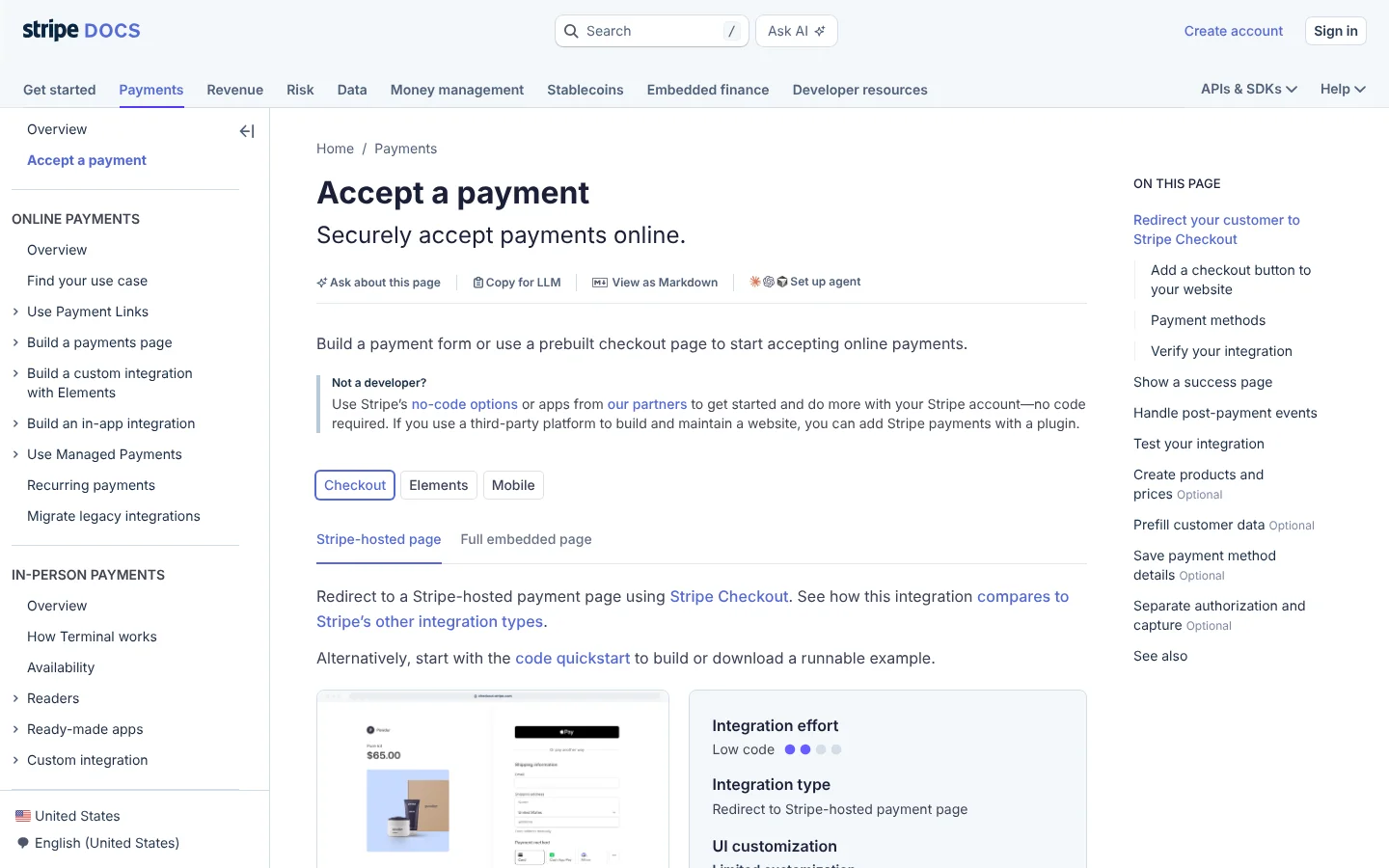
Notice the Copy for LLM and View as Markdown links at the top too. I'll come back to those in step 8. Our B2B SaaS SEO guide covers the wider plan around pages like this.
3. Build pages from the product data you already hold
Many technical products hold data that engineers look up by name, such as packages, integrations, error codes or cloud regions. One page per item matches each exact search and updates itself when your data changes.
That's programmatic SEO at its most useful, since every page carries facts the reader can't get on the page next to it. Here's how to plan yours:
- Find data people search for: List what engineers look up by name, then check demand for a sample before you build anything.
- Design one strong template: Put the answer at the top, such as the fixed version or the supported settings., with one clear next step into the product.
- Give every page its own facts: Fill each page with data that differs from its siblings, such as versions, limits or health scores.
- Generate from the live source: Build pages from the same data your product uses, so new versions show up as soon as they ship.
- Link pages into hubs: Group pages by language or category and link each hub from your docs so crawlers reach every page.
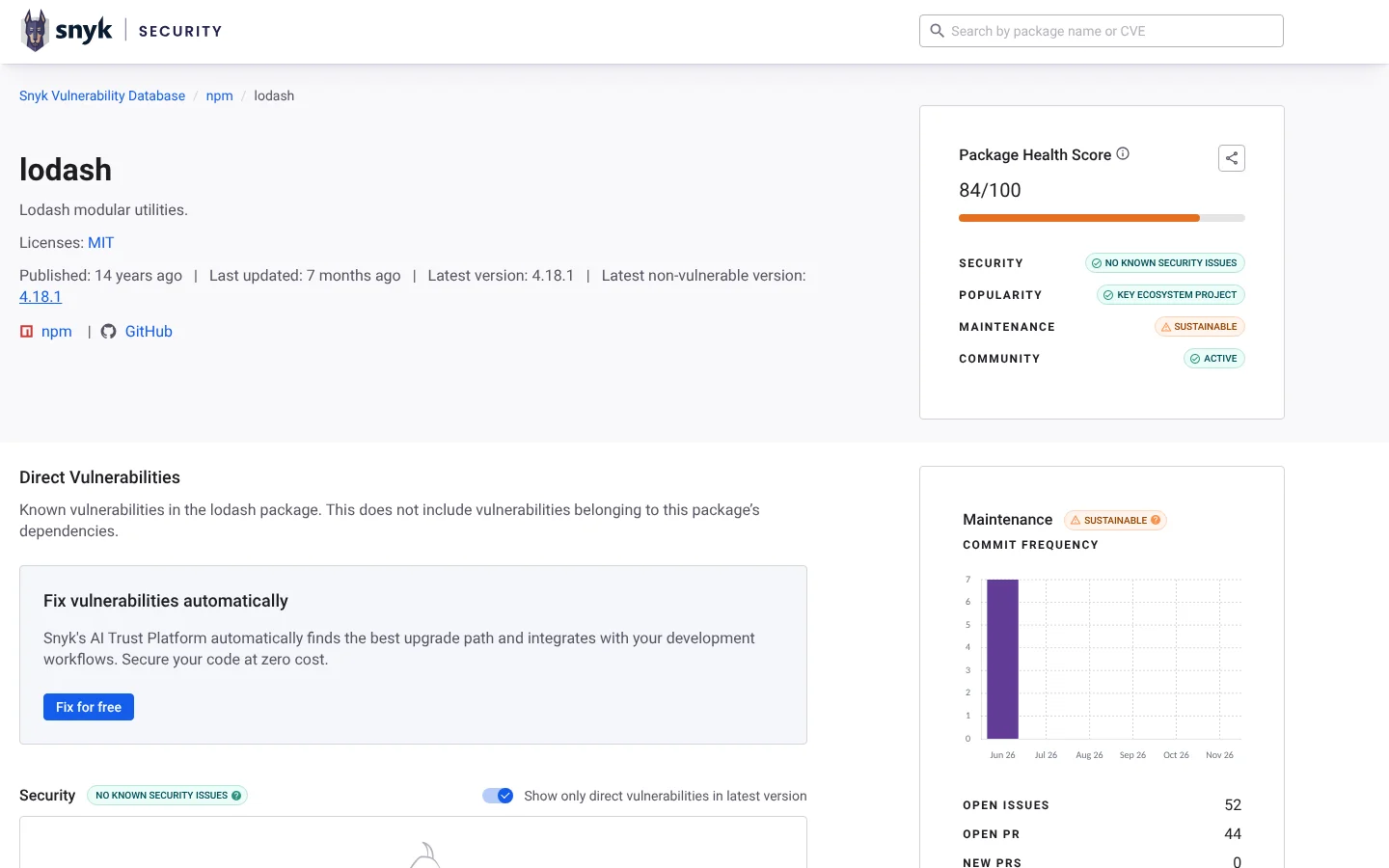
Snyk, a developer security company, is the classic example. The Snyk Vulnerability Database gives each open source package its own page, across npm, Maven, pip, Go and more. The lodash page shows the latest non-vulnerable version and a package health score, and a "Fix for free" button moves the reader into the product:
4. Publish a glossary for the concepts around your product
Concept pages answer "what is" searches for the ideas around your product. They reach readers early, before they compare vendors, and each term can link to the product that puts the idea to work.
I like glossaries for technical brands because your sales engineers already explain these terms on calls all the time. You're mostly writing down what they say. Here's how to build each entry:
- Start with sales calls: Pick the terms your sales engineers explain most often, then check which ones buyers search for.
- Define the term first: Give a plain definition in the first sentence, then add the details and one diagram that shows how the parts fit together.
- Answer follow-ups as headings: Turn the next questions into headings, such as "How does X differ from Y?", and answer each in one sentence.
- Link related terms: Link each entry to two or three related terms and to the docs page that applies the idea.
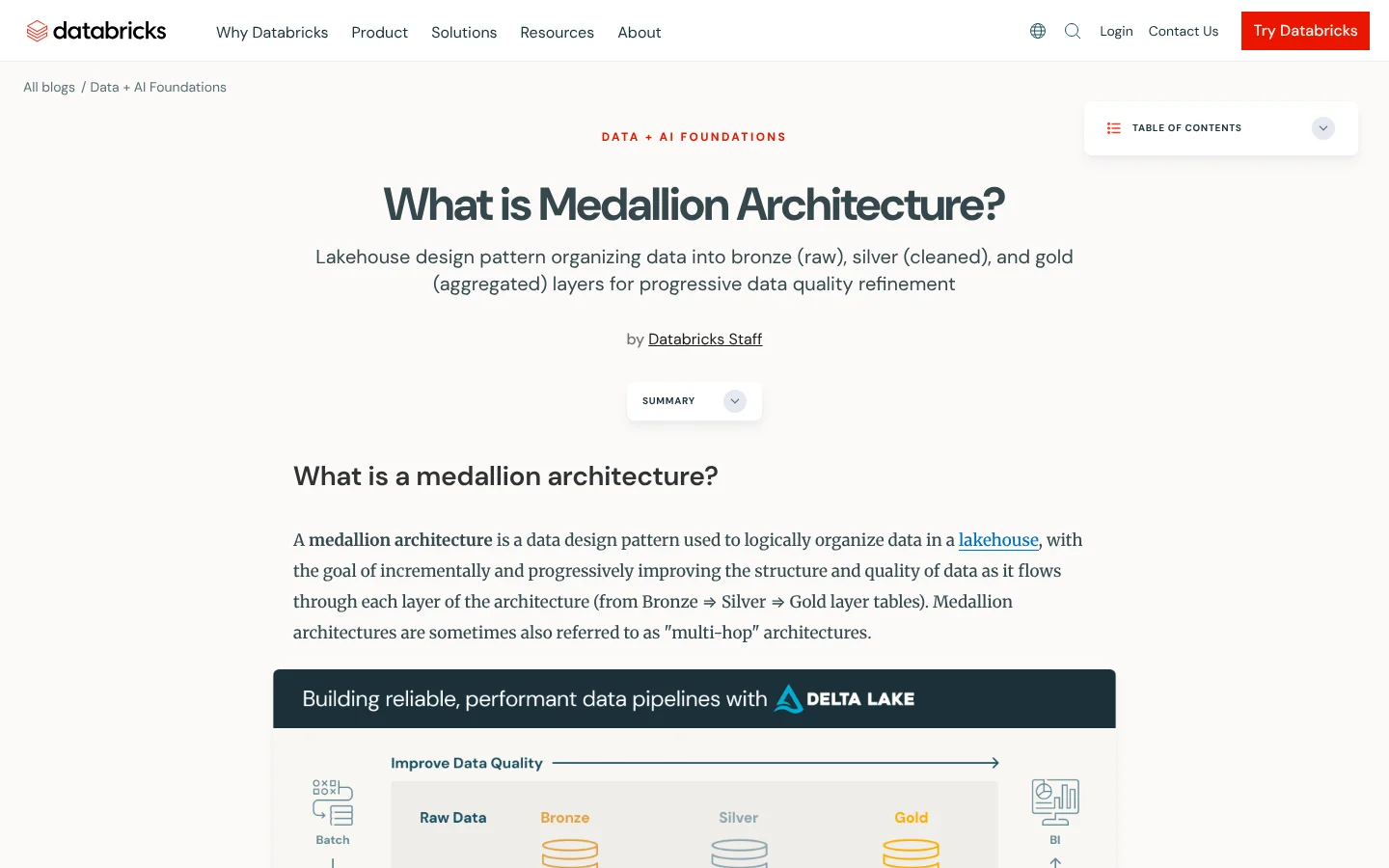
Databricks, the data and AI company, has one of the best glossaries I know, with terms from ACID transactions and Apache Spark to AI agents and the Model Context Protocol. Its medallion architecture entry opens with a one-line definition and a summary, followed by a diagram:
5. Write with your engineers as subject experts
Your engineers know the edge cases, limits and tradeoffs that technical readers check for. But writing isn't their job, and a request for a full blog post usually sits in their backlog for weeks.
That's why I recommend a short, fixed process where the engineer is the source and reviewer, and a writer does the drafting and SEO. Google's guidance on helpful content backs this up, since it asks whether an expert wrote or reviewed the page. Here's how to run each piece:
- Bring a brief: Send the target search, the top-ranking pages and five questions you can't answer yourself before the call.
- Record a short interview: Hold a 30-minute call and pull examples and edge cases from the transcript.
- Keep their words: Note the engineer's own terms for features and errors, since those match what other engineers type into search.
- Limit the review to facts: Send the draft back for a check of facts and code only, and leave style to the writer. A review takes far less time than writing, so you can ask every month.
- Credit the engineer: Name them as author or reviewer, with a short bio that states their role.
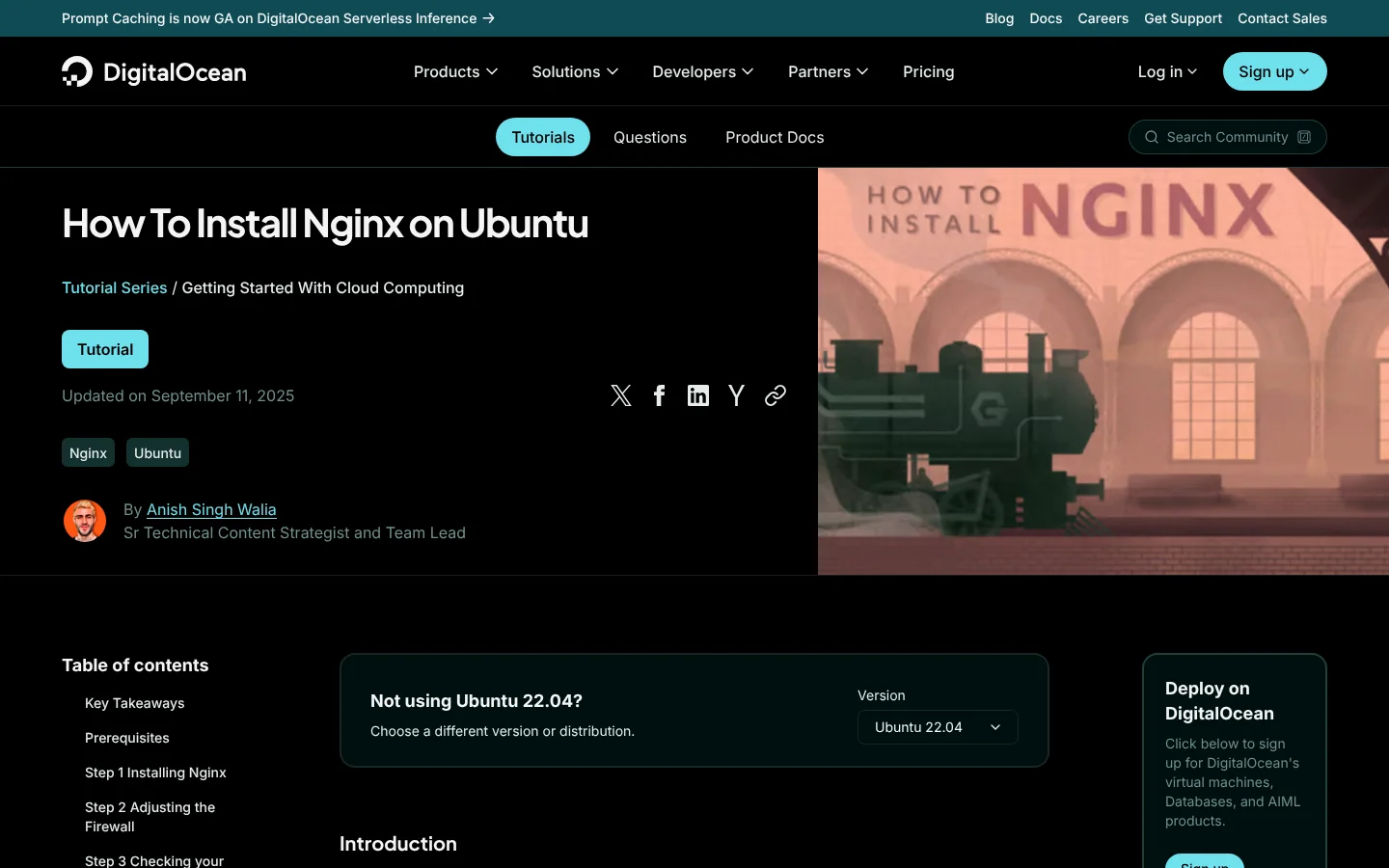
You'll see that last point in the DigitalOcean example below, where the tutorial names its author and his role. Our guide to B2B tech content marketing covers the formats and channels that carry this expert content beyond search.
6. Keep code samples and versions accurate
Technical readers test what they read. One wrong flag or outdated version number can cost you trust in the whole site.
It matters even more now that developers use AI. In the 2025 Stack Overflow survey, 66% of developers named AI answers that are "almost right, but not quite" as their top frustration with AI tools. A page that's right in every detail becomes the one they check those answers against.
Here's how to keep pages accurate as your product changes:
- Test every code sample: Run each sample against the current release before you publish,, ideally in a CI job that fails when one breaks.
- State what the page covers: Name the version, operating system or plan each page applies to, or add a version picker.
- Date real reviews: Show an updated date on each page, and change it only after someone has checked the content.
- Tie docs to the changelog: Make each release trigger a review of the pages it affects, with one named owner per page.
DigitalOcean, the cloud infrastructure company, has built a big community library of setup tutorials for tools like Nginx, Docker and Kubernetes. Its Nginx tutorial shows when it was last updated, names its author with his role and lets readers pick a different Ubuntu version:
7. Serve your main content as HTML crawlers can read
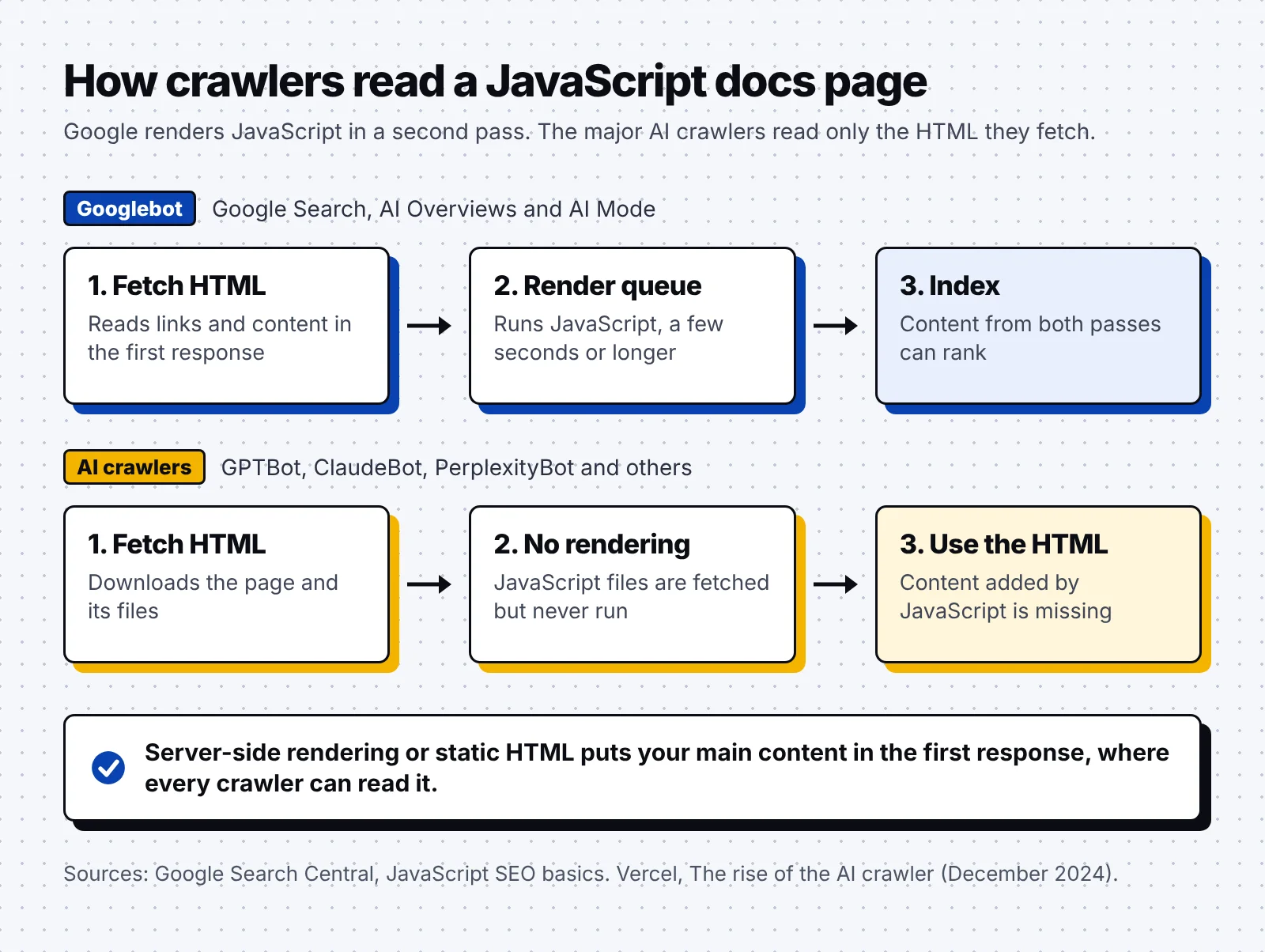
Many docs sites and app-style marketing sites build pages with JavaScript, which can delay or hide content from crawlers. Google processes JavaScript in three phases: crawling, rendering and indexing. A page can wait in the render queue for a few seconds or longer before its JavaScript content gets indexed.
AI crawlers skip rendering altogether. In Vercel's network data, none of the major AI crawlers rendered JavaScript, with Google's Gemini as the main exception since it runs on Google's crawler. Here's what that looks like for a docs page:
Here's what I'd check first on any docs site or marketing page built as an app:
- Render on the server: Serve the main content as HTML through server-side rendering or static generation. Frameworks such as Next.js, Nuxt and Astro support both, so you can usually keep your current stack.
- Use real links: Build navigation with <a href> links, since Google only discovers links that are HTML anchors with an href attribute.
- Pick one canonical version: Choose one version of versioned docs as canonical, and point older versions to it with rel="canonical" or a redirect.
- Redirect moved pages: Redirect every docs page you move or rename. In the same Vercel data, about 35% of ChatGPT's crawler fetches hit 404 pages, against about 8% for Googlebot.
The quickest test is to load your key docs pages with JavaScript turned off. Any text or link that disappears is missing for AI crawlers and waits in Google's render queue. Our breakdown of Segment's technical SEO shows these checks on a docs-heavy site for a customer data platform.
8. Prepare your docs for AI assistants and coding agents
AI tools now read a big share of technical docs. GitBook reports that AI went from less than 10% of the traffic on its hosted docs in January 2025 to about 41% by December 2025. In the Mintlify data, two coding agents, Claude Code and Cursor, made 95.6% of the agent requests.
The good news is that Google doesn't ask for anything special. Its guidance on AI features says you don't need new machine-readable files or markup to appear in AI Overviews or AI Mode. A page only has to be indexed and eligible to show with a snippet.
Coding agents are a different story, since they read your docs directly. Here's how to help them read and quote you correctly:
- Answer one question per heading: Put one question under each heading and answer it in the first sentence, so an assistant can quote that answer on its own.
- Offer markdown and llms.txt: Give each docs page a markdown copy and publish an llms.txt file, a format proposed in 2024 that points AI tools to your key pages. Stripe does both, as you saw in step 2.
- Keep names consistent: Use the same names for products, features and plans everywhere you publish.
- Publish quotable facts: Put limits, versions and supported languages on comparison and integration pages, in plain text or tables.
- Test assistants every month: Ask assistants the questions your buyers ask, note wrong or missing answers and fix the pages behind them.
Our case study shows an SEO and GEO program that brought about $500K in pipeline in six months for a B2B SaaS company.
Conclusion
Engineers are some of the toughest readers to win over, but my principles stay the same as in any other niche:
- Write for the exact words your buyers type
- Let the people who built the product check the page
- Keep every page true to the current release
- Make it readable for crawlers as well as people
Getting an engineer's time for every page takes real effort. But if you were the one picking a tool for your stack, wouldn't you trust the vendor whose docs never let you down?
FAQ
What is B2B tech SEO?
B2B tech SEO is search optimization for technical products such as developer tools, cloud platforms, security software and data platforms. It leans on public docs, concept pages and technical accuracy, since the buyers are engineers and IT leaders.
Should documentation be indexed by Google?
Yes. Keep public guides and API reference indexable, since they answer the task and error searches engineers run. Keep only account pages behind a login.
Does a docs site need an llms.txt file?
Not for Google, which says you don't need AI text files to appear in its AI features. An llms.txt file and markdown copies still help the coding agents that read your docs directly.
How do you get engineers to help with SEO content?
Ask each engineer for a 30-minute interview and one accuracy review per piece, and let a writer do the drafting. Credit them as author or reviewer on the page.
Does JavaScript hurt SEO?
It can. Google renders JavaScript in a queue, and the major AI crawlers don't run it at all. Server-side rendering or static HTML for your main content avoids both problems.
Start this week by exporting your top 50 docs pages by clicks from Search Console and checking that each one shows its main content without JavaScript. We've worked with B2B software brands like Katalon, Arrowsterr and Omniscient, and if you want help planning a full B2B tech SEO program, book a discovery call with our team.