About 8,100 people a month type "what is airtable" into Google, according to Arrowsterr keyword data from November 2026. Another 880 search "what is airtable used for."
That means plenty of people know the name and still can't picture what the product does. Airtable's answer is a page for every job people search for, like "content calendar template," where they can copy a working setup into a free account in one click.
I think it's one of the best SEO examples for any B2B team with a flexible product. Here's how it started, how the keyword strategy works and which plays you can copy.
How Airtable grew from a product that needed a demo
Airtable lets teams build business apps on a database that looks like a spreadsheet. Howie Liu, Andrew Ofstad and Emmett Nicholas started it in 2012.
The product was hard to explain from day one. On the Secret Leaders podcast, Liu recalled that people "would have to show the product and talk about a use case" before others understood it.
That problem sits at the root of Airtable's whole SEO strategy. A flexible tool has no single job to rank for, so Airtable gives each job its own page.
Airtable launched publicly in 2015. In 2017 it opened Universe, a public gallery where anyone can publish a base for others to copy. By March 2021 it had 250,000 organizations as customers, and in December 2021 it raised $735 million at an $11 billion pre-money valuation.
In 2022, Liu moved the company's focus to large enterprises. A year later, he wrote that the self-serve business kept growing on inbound demand, which is exactly the demand that search pages feed.
Then in 2026, Bending Spoons bought Airtable at an enterprise value of $1.285 billion, and the deal closed on September 4. Airtable now counts 500,000 companies and 10 million active users.
Airtable's keyword strategy: one page for each job
Airtable's name already draws plenty of searches. Arrowsterr's November 2026 data shows 165,000 a month for "airtable" and 5,400 for "airtable pricing," so people who know the brand find it without any content.
To reach everyone else, Airtable builds pages around the job a searcher wants done. Each kind of search gets its own kind of page:
| What people search | The page Airtable gives them |
|---|---|
| "content calendar template" | An official template with a live preview and a copy button |
| "laundry symbol guide" | A base a user published in Universe |
| "employee onboarding tracking" | A use case page that tells one team's story |
| "best project management software" | An article that reviews and ranks the tools |
| "airtable jira integration" | An integration page that says how the sync works |
| "airtable api" | The developer docs |
Each page matches what the person wants right then. Someone who types "template" wants a ready setup now, so the page leads with a button that copies it.
The pages also feed each other. Template pages link to related templates, and articles and guides point back to templates, so link authority flows toward the pages that start trials.
And every page carries the Airtable name into searches the brand would never win alone. Someone who first meets Airtable through a template can come back later by searching for it by name. Our SaaS keyword research guide shows how to find the job searches worth a page of their own.
Play 1: a template page for each use case search
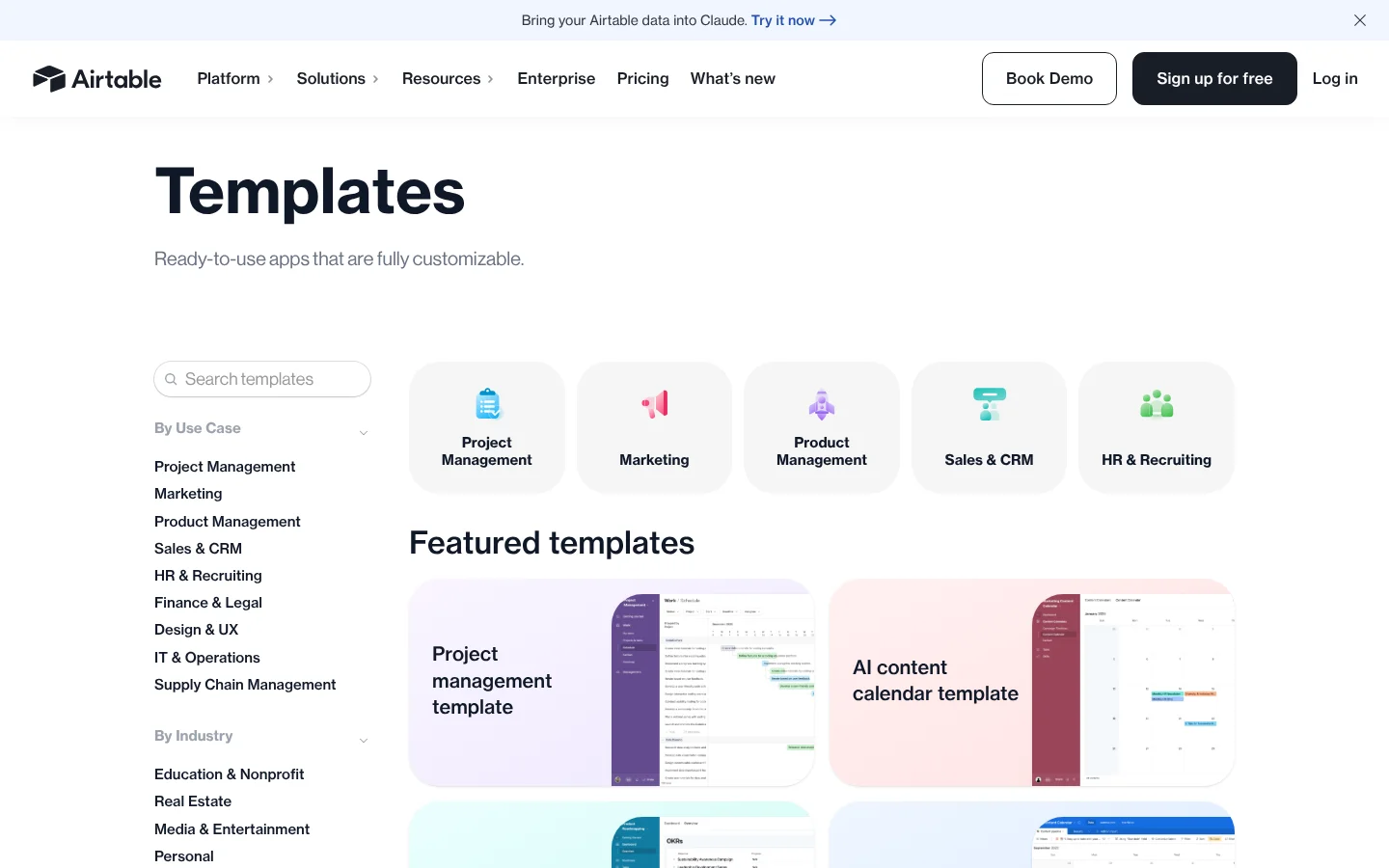
The template gallery groups official templates by use case, industry and feature. Each template page targets one search, such as "content calendar template."
On the content calendar template, the title reads "Free Content Calendar Template." A blue Use template button copies the base into your workspace, and a live preview shows the calendar filled with sample posts.
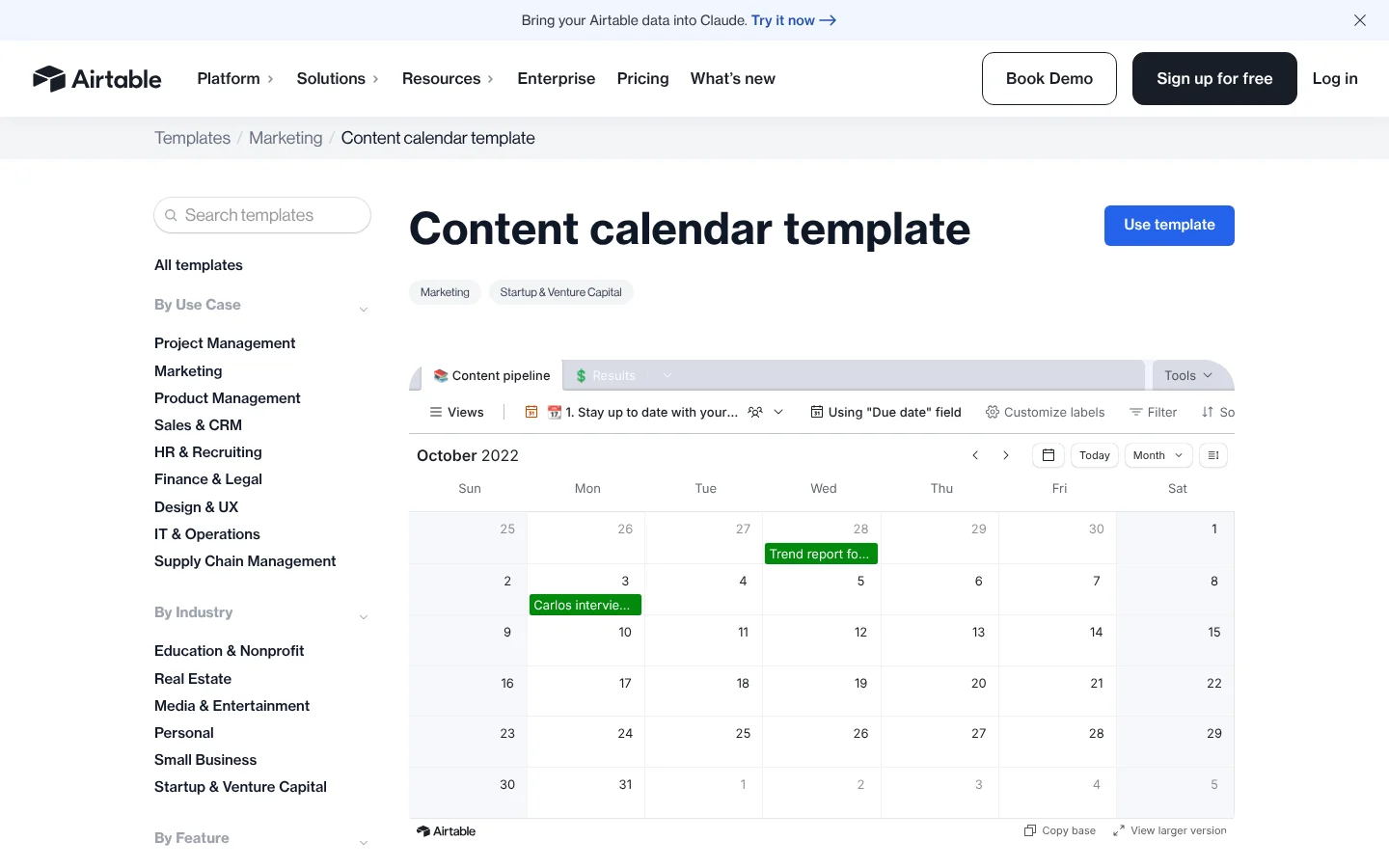
Below the preview, short sections answer "What is a content calendar template?" and link to related marketing templates, from social media to email.
The page answers the search in its first screen, and the reader's next step happens inside the product. Here's how I'd build the same page for a B2B product:
- Pick a setup buyers search for: Choose a job your product does that people already look up, such as "sprint planning template" or "SOC 2 checklist."
- Lead with the setup: Show a live preview in the first screen, so the reader sees the finished thing before any text.
- Make the button do the work: The main button should open a trial with the setup already loaded. Nobody wants to rebuild a template from scratch.
Play 2: letting users write the long tail
Universe holds bases that users publish themselves, while Airtable's own team manages the official templates. Titles such as "Laundry Symbol Guide" name narrow hobbies and jobs that no keyword tool would ever suggest.
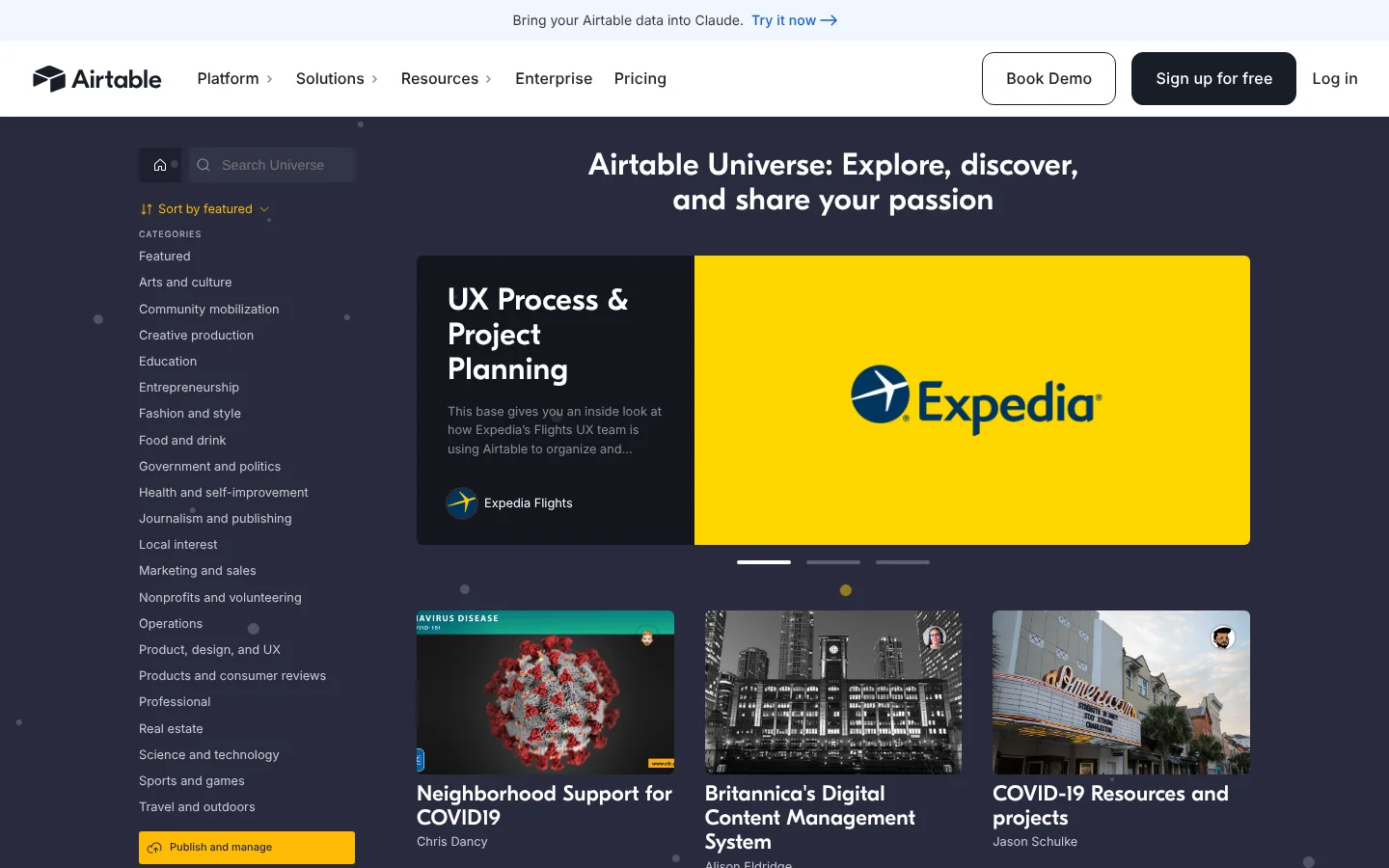
Users cover lots of small searches that a marketing team would never plan for. A B2B team can do the same by inviting customers to publish their best setups on public pages under their own names, each with a copy button.
Play 3: use case pages that read like customer stories
Airtable's use case pages follow one team from its problem to the fix it built. The employee onboarding page tells how a delivery company built an onboarding system that runs without IT.
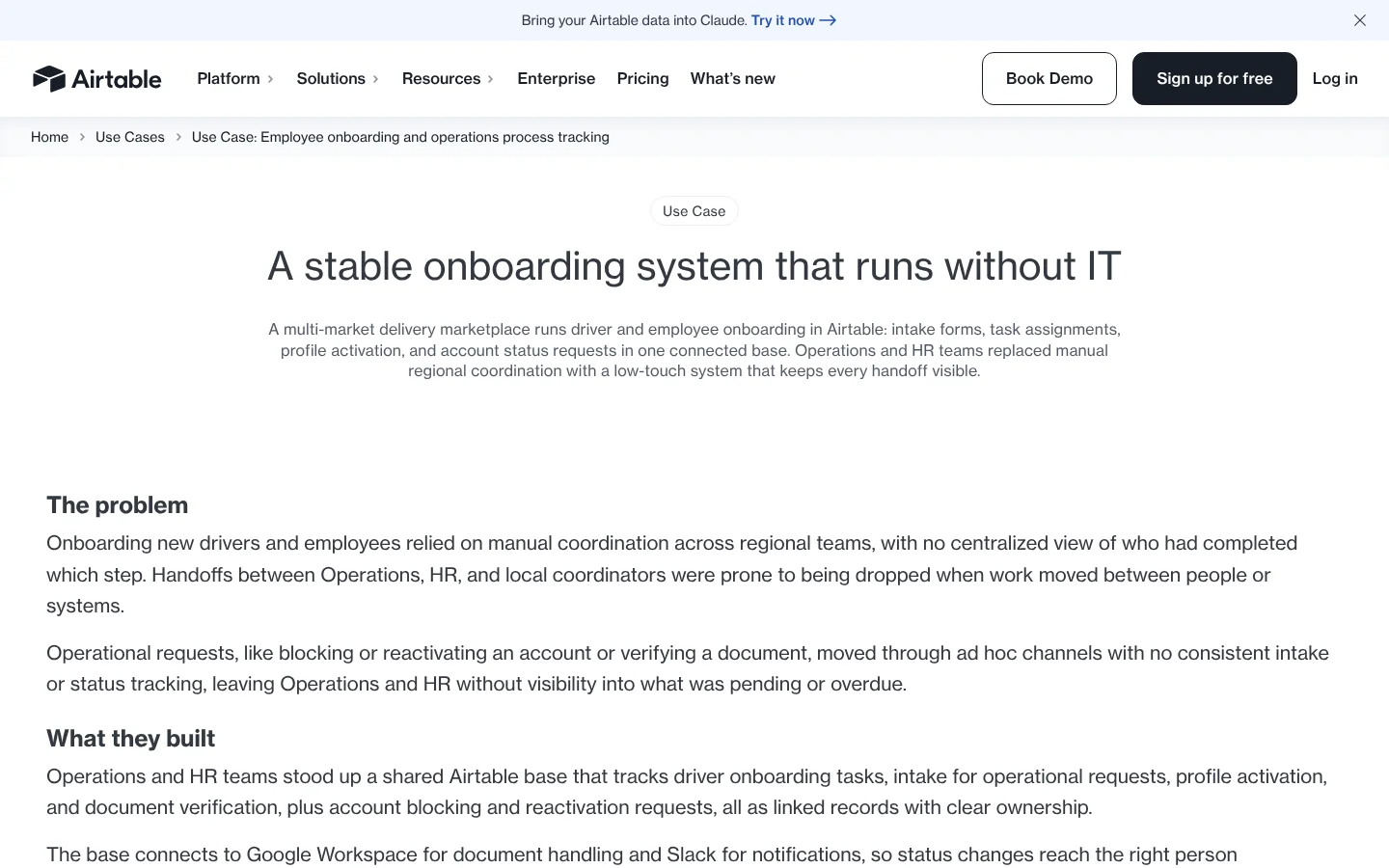
Many of these pages pair a job with an industry, such as budget tracking for live sports. One workflow can then rank for many niche searches, each written for a reader in that field.
You can turn your own sales calls and support tickets into one use case page for each industry you serve. Link each page to the matching template, so the story ends with a setup the reader can try.
Play 4: buyer guides for "best tools" searches
The best project management software article reviews 25 tools for 2026 and explains how the team picked them. It ends with an FAQ and a case for Airtable, which is the mix I want in good bottom of funnel content.
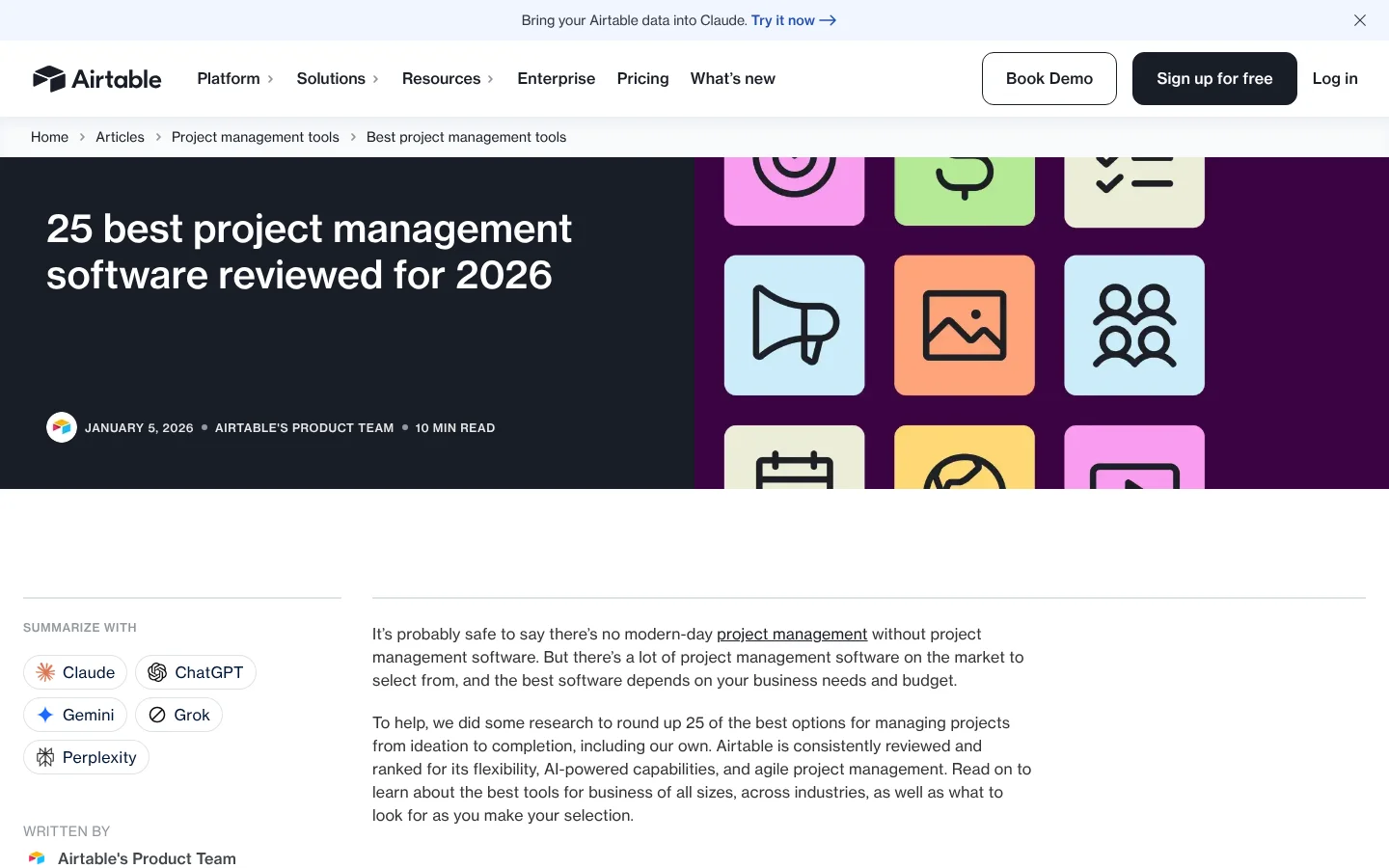
The guides hub then sorts how-to guides by the job a reader is doing, such as product operations.

These pages reach buyers who are still comparing tools, then pass them to templates once they pick an approach. So write a "best tools" article for each category you compete in, and say how you picked.
Play 5: integration pages for tools buyers already pay for
Airtable has integration pages for tools its buyers already use, such as Salesforce, Slack, Snowflake and Jira. The Jira integration page carries the title "Airtable + Jira Cloud Integration."

Its headings cover how the sync works and which plans include it, which are the two questions a buyer asks before paying. Build one of these for each tool your buyers pay for, and say plainly which of your plans includes it.
What AI search changes for a template-led site
AI summaries now answer a lot of the simple questions in Airtable's search data, like "what is airtable used for." In a Pew Research Center study, people clicked a regular result in 8% of visits with an AI summary, compared with 15% without one.
A summary can explain what Airtable does without sending anyone to airtable.com. Copying a working base into your account still takes a click, so the template page keeps its value.
Airtable has also moved the product itself toward AI. Cobuilder, launched in 2024, turns a written idea into an app, and in 2025 Liu relaunched Airtable as an AI-native app platform. The template pages kept their role through all of it: their "Try it for free" buttons now lead to Cobuilder.
What B2B teams can use from Airtable's SEO
You don't need Airtable's budget for this. Ten pages for the setups your buyers search for most can start trials with half the work already done. Here's my process:
- List the first-week jobs: Write down the 20 jobs your customers most often set up in their first week. Your onboarding and support teams can name most of them.
- Check the demand: Look up each job with words like "template," "tracker" or "checklist" in your favorite keyword tool. Mine are SEMRush, Google and Reddit.
- Build the top ten: Create a ready setup in your product for the ten jobs with the most searches.
- Publish one page per setup: Give each page a live preview and a button that copies the setup into a trial.
- Link the pages together: Connect each template to related templates, a how-to guide and an integration page.
- Track what converts: Measure trials and paid accounts by template, then build more of what works.
Our B2B SaaS SEO guide covers the rest, from technical health to pillar pages. If your product is as hard to explain as Airtable was in 2015, isn't a page that lets buyers try one job the fastest way to show them?
More SEO case studies
- How NerdWallet Grew Its SEO Into a Public Company
- How Investopedia Grew Its SEO With a Dictionary
- Wix SEO: How Wix Turned SEO Into a Growth Engine
- How Atlassian Does SEO Without a Sales Team
- How Buffer Does SEO and Content With a Small Team
- How Twilio Segment Does Technical SEO for a CDP
- How Headspace Does Content Marketing (And What B2B Brands Can Learn)
FAQ
How can you use templates for SEO the way Airtable does?
Build one page for each "[use case] template" search your buyers make, such as "sprint planning template." Give each page a live preview and a button that copies the setup into a free trial.
Do you need thousands of pages to make this work?
No. Ten template or use case pages for your buyers' top jobs are enough to start trials. Add more pages for the setups that turn into paid accounts.
Should you build official templates or a community gallery like Universe?
Start with official templates, since your team picks which searches they target. A public gallery makes sense once your customers have built setups worth sharing.
Will AI search take clicks from your template pages?
It takes clicks from simple questions. Pew Research Center found people clicked a regular result in 8% of visits with an AI summary, compared with 15% without one. A template page still earns the click, because a summary can't copy a setup into your account.
Start by listing the five setups your best customers build first and the searches behind each. To turn them into pages that start trials, book a free AI visibility audit with our team.