Internal linking
Internal linking is linking from one page on your site to another. When your guide on "how to prepare for a security audit" links to your "SOC 2 compliance software" page, readers get a next step and Google sees which pages matter most.
What is internal linking?
Internal linking is the practice of linking one page on your site to another page on the same site. Your top menu, your footer and the links inside the text of a blog post are all internal links.
Let's say you sell compliance software. You publish a guide called "How to prepare for a SOC 2 audit". Halfway through, you mention evidence collection and link the words "automated evidence collection" to your product page. A reader who wants that now has a direct path to it. And Google now sees that your guide thinks the product page matters.
The clickable words are called anchor text, and they tell both readers and search engines what the next page is about. A page that no other page links to is called an orphan page.
Why internal linking matters for B2B SaaS
Most B2B SaaS sites have the same shape. The blog gets the traffic, while product and comparison pages bring the demos. Internal links are the road between them. Without that road, a reader finishes your guide and leaves.
Google relies on links too. Its own link best practices say it uses links to find new pages and to understand how relevant they are, and that it can only follow real HTML links with an href.
Here's why I put internal linking near the top of every content plan:
- It moves authority to the pages that sell: Your blog posts earn most of your backlinks. Links from those posts pass some of that value to the product and comparison pages that rarely earn links on their own.
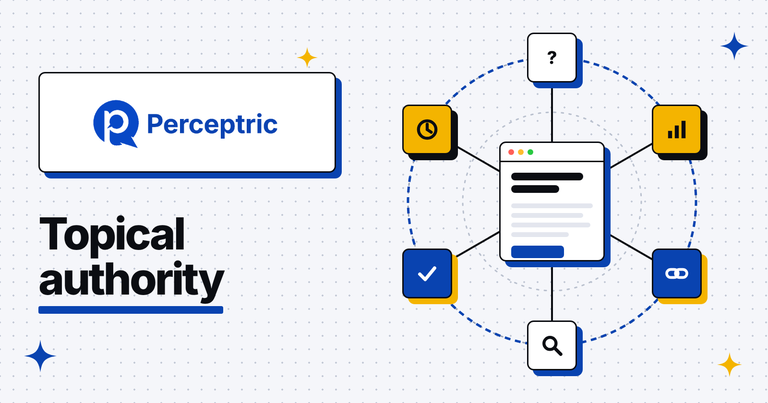
- It shows Google what you cover: A group of pages that link to each other around one subject, like SOC 2, reads as depth. That's the base of topical authority.
- It gets new pages found faster: A page linked from your busy guides gets crawled sooner than one that only sits in the sitemap.
- It turns readers into leads: A link at the moment a reader needs the next answer works better than a banner they've learned to ignore.
How to build internal links
Good internal linking starts with a plan of which pages matter most, then gets checked every time you publish. Here's my process:
- Pick your money pages: List the 10 to 20 pages that bring demos and trials, like product, pricing, integration and comparison pages. These are the pages that should get the most internal links.
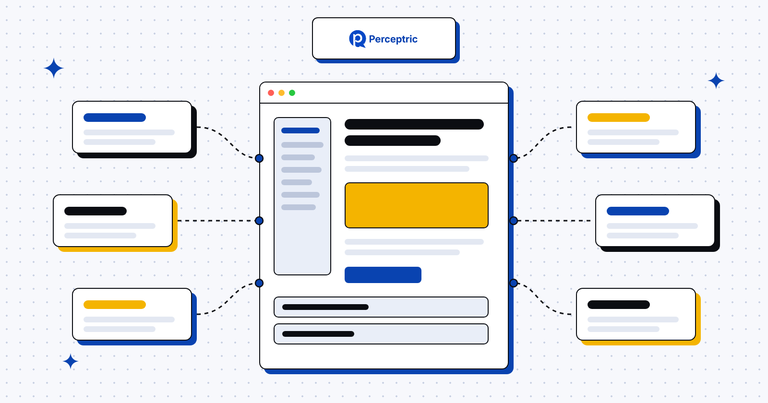
- Group pages by subject: Put every page into a topic cluster, with one main page per subject and supporting posts around it. Each supporting post links up to the main page, and the main page links down to each post.
- Link inside the text: Add links where the reader would want the next step, in the middle of a sentence. A contextual link inside a paragraph tells readers and Google much more than a sidebar widget does.
- Write anchor text that says where the link goes: "SOC 2 evidence collection" beats "click here" or "learn more". Vary the wording a little across pages so it reads naturally.
- Go back to old posts: Every time you publish a page, find three to five older posts on the same subject and add a link to the new one. New pages get found faster when your established posts point at them.
- Fix orphan pages: Run a site crawler every quarter and look for pages with zero internal links pointing at them. Either link them from related pages or redirect them if they no longer earn their place.
An internal linking example
The glossary you're reading right now is a simple example. Every article links to two to four related terms inside its text, plus a few Perceptric guides and pages. So a reader who lands on this page from a search can move to crawl budget or pillar pages in one click, and crawlers get a clear map of how the terms connect.
Now, here's how a hypothetical compliance software company might link one cluster around SOC 2:
| Page | Links out to | Anchor text example |
|---|---|---|
| SOC 2 guide (main page) | Every SOC 2 post, plus the product page | "automated evidence collection" |
| SOC 2 checklist | The main guide and the pricing page | "complete guide to SOC 2" |
| SOC 2 vs ISO 27001 | The main guide and the ISO 27001 guide | "what ISO 27001 covers" |
| SOC 2 audit cost | The main guide, pricing and a case study | "how one team cut audit prep time" |
| Product page | The main guide and the checklist | "SOC 2 checklist" |
Each row sends readers deeper into the subject and closer to the product. Our guide on building topical authority shows how clusters like this fit into a full SEO plan.
How to measure internal linking
Internal linking is easy to measure, because you control every link. Here's what I check:
- Inlinks per money page: A crawler like Screaming Frog counts the internal links pointing at each URL. Your product and pricing pages should sit near the top of that list, right after the homepage.
- Orphan pages: The same crawl, compared with your sitemap and GA4 landing pages, shows pages with no internal links at all. Aim for zero among the pages you want to rank.
- Click depth: Count how many clicks each key page sits from the homepage. Pages more than three or four clicks deep tend to get crawled less often.
- Clicks on in-text links: In GA4, look at the paths from blog posts to product and demo pages. If a post gets 2,000 visits and sends almost nobody onward, its links are in the wrong place or say the wrong thing.
- Rankings after you add links: Note the date you link a page from five or six related posts, then watch its average position in Google Search Console over the next month or two.
Common internal linking mistakes
- Linking only from the menu: Navigation links appear on every page, so they say little about which page is most relevant for a subject. In-text links carry the real meaning.
- Using the same vague anchor text everywhere: "Read more" on 40 links gives Google nothing to work with. Say what the reader will find.
- Forgetting the old posts: Teams link new posts to old ones and never the other way around. Your oldest posts usually have the most authority, so update them to point at new pages.
- Linking everything to everything: A post with 30 links to loosely related pages confuses readers. Link where it helps the reader take a next step.
- Breaking links in a redesign: Moving URLs without updating internal links leaves chains of redirects and 404s. Crawl the site before and after any migration, and our SEO audit checklist covers what else to check.
Here's a first step for this week. Pick your best demo page and count how many of your blog posts link to it. Is that number higher than for any other page on your site?
Read more
FAQ
What is an internal link?
An internal link is a link from one page on your website to another page on the same website. Menu links, footer links and links inside the text of a blog post all count.
What is an orphan page?
An orphan page is a page with no internal links pointing at it. Google and readers can only find it through your sitemap or an outside link, so it often gets crawled less and ranks worse than it could.
How many internal links should a page have?
There's no magic number. Link wherever a reader would want the next page, and make sure every important page gets links from several related pages, with your money pages getting the most.
Do internal links help AI search?
They help AI crawlers find your pages the same way they help Googlebot. A product page that no other page links to is easy for any crawler to miss, so it rarely ends up quoted in an AI answer.