Website revamp SEO is the work that keeps your rankings and traffic when you redesign, restructure or move a site. Map every old URL to its new home, redirect each one with a 301, and make sure Google can crawl the new pages from launch day.
This checklist splits that work into three phases: before launch, launch day and the eight weeks after. Every technical step follows Google Search Central's guide to moving a site with URL changes.
What website revamp SEO covers
A revamp touches SEO whenever it changes URLs, content, templates or the domain. A new color scheme on the same pages carries little risk, while new URLs or a new domain count as a site move for Google.
These changes need the full checklist, since each one sends Google to new addresses:
- A move from one domain to another, such as a rebrand or a merger of two sites.
- A new URL structure, like dropping .html endings or moving posts under /blog/.
- A switch to a new CMS that writes its own URLs and templates.
- A content cleanup that merges, renames or removes many pages at once.
Website redesign SEO vs website migration SEO
A redesign changes how pages look and read, and often their URLs too. Website migration SEO covers moves of the domain, the protocol or the platform, where nearly every URL changes at once.
Domain moves carry the most risk of all. In a Search Engine Journal study of 892 domain migrations, new domains took 523 days on average to match the old domain's organic traffic, and the fastest took 19 days.
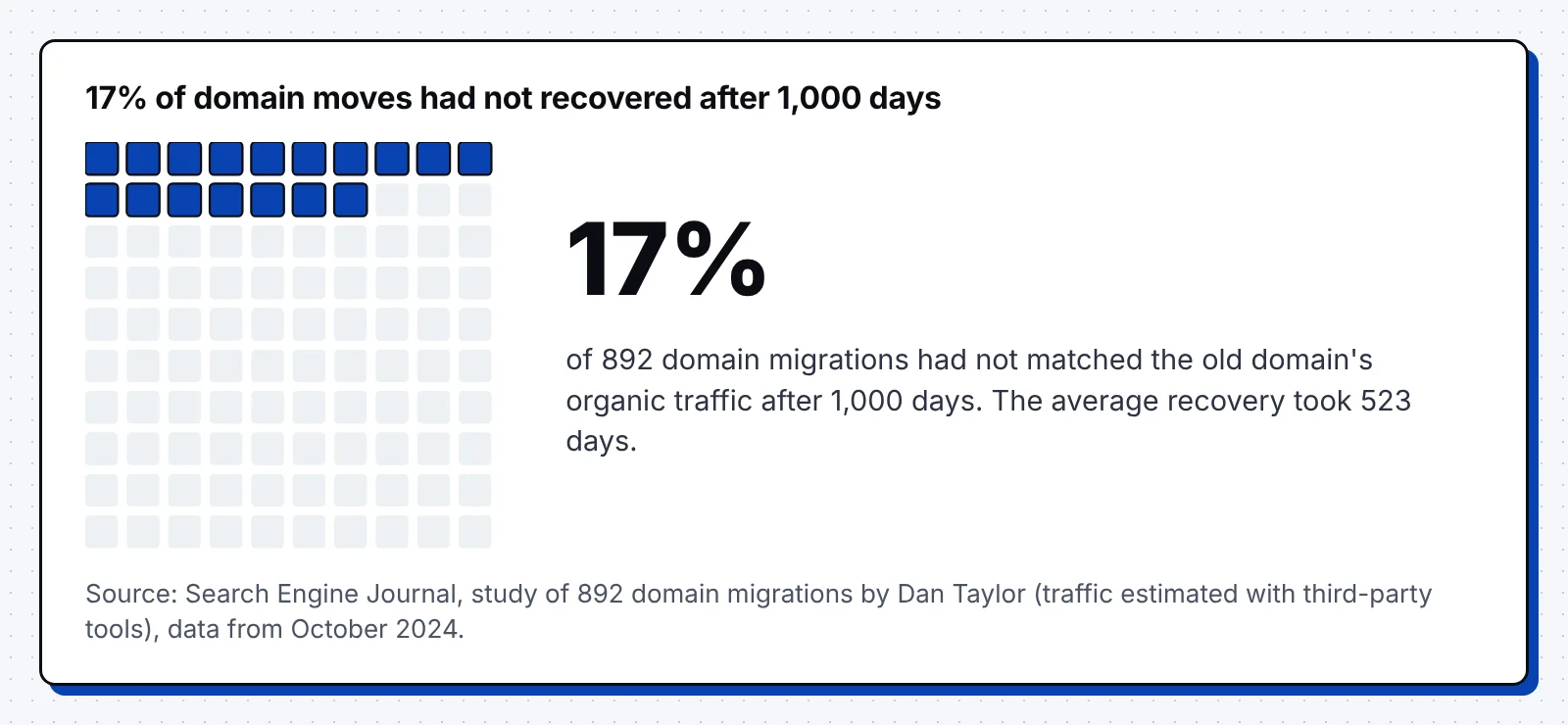
That study estimated traffic with third-party tools, so treat it as a range. Still, 17% of the moves had not recovered after 1,000 days, which is reason enough to plan the move with care.
The website revamp SEO timeline
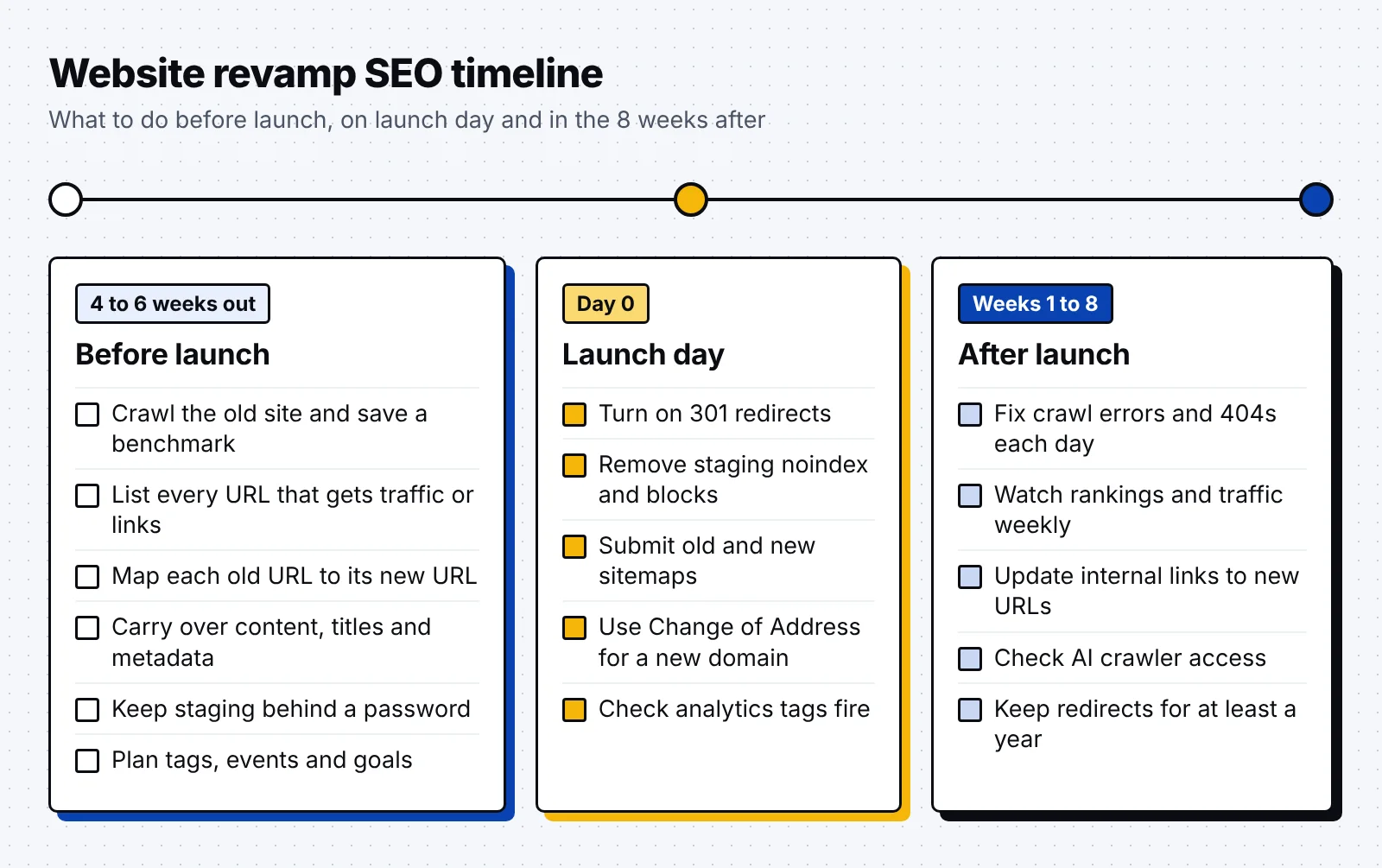
Start the SEO work four to six weeks before launch, since the redirect map takes the longest. Pick a low-traffic period for the launch, and move a large site in sections.
Website redesign SEO checklist: before launch
Most of the risk in a redesign sits in the work before launch, such as a missing URL or a page that lost its content. These six steps set up a clean move.
1. Crawl the old site and save a benchmark
Crawl the live site with a tool like Screaming Frog and export every URL, title, meta description, H1, canonical and status code. Keep the file, since it becomes your record of how the old site looked.
Then save a baseline from Search Console and analytics for the last 12 months:
- Clicks, impressions and average position for your top 100 queries.
- Organic sessions, leads and conversions for each landing page.
- Indexed page count from the Page indexing report.
- Pages with the most backlinks, from Ahrefs, Semrush or Search Console's Links report.
2. Build a full URL inventory
The crawl misses orphan pages, so add URLs from your sitemaps, analytics, server logs and CMS. Google's site move guide also lists images, videos, JavaScript and CSS files in that inventory.
Sort the list by traffic and backlinks, so you know which pages need the most care. Our SEO audit checklist works well as a template for this first crawl.
3. Write the redirect map
Give every old URL one destination: the closest matching new page. Retire pages with no match, and let them return a 404 or 410 code, which is how Google expects removed content to respond.
Here is a redirect map example for a B2B site with a new structure:
| Old URL | New URL | Code | Reason |
|---|---|---|---|
| /blog/what-is-lead-scoring.html | /blog/lead-scoring/ | 301 | Same post, new slug |
| /services/seo-audit.html | /seo-audit/ | 301 | Page moved in the new menu |
| /blog/crm-tips/ | /blog/crm-guide/ | 301 | Merged into the stronger post |
| /pricing-2024/ | /pricing/ | 301 | Old plan page replaced |
| /webinars/2021-launch/ | None | 410 | Retired, no close match |
Point each redirect straight to the final URL, and avoid sending many old URLs to one unrelated page. If a chain can't be avoided, keep it to ideally no more than 3 hops.
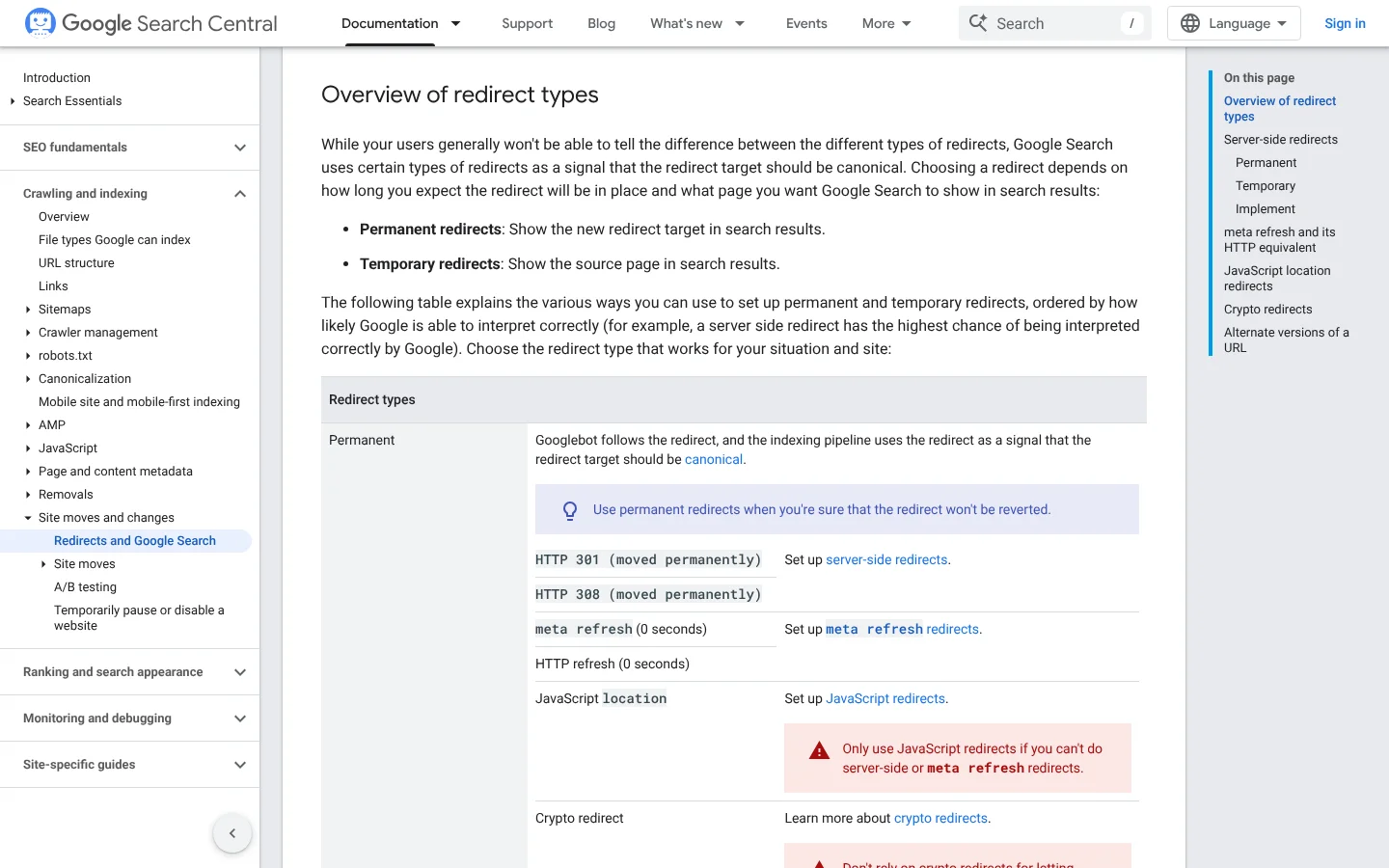
Use server-side 301 or 308 codes for every URL that changes for good. In Google's redirect docs, permanent redirects show the new URL in results, while temporary 302 and 307 redirects keep the old URL there.
4. Carry over content and metadata
Pages rank for their words, so a redesign that trims copy can cost rankings even when every redirect works. Move each high-traffic page across with its main text, headings, title tag, meta description and alt text.
Give each new URL a self-referencing canonical tag, and update hreflang and structured data. The homepage often changes most in a redesign, so check it against our homepage SEO guide.
5. Keep staging out of the index
Put the staging site behind a password, since a robots.txt block alone won't keep a page out of Google. A blocked URL can still be indexed when other sites link to it.
If you also use noindex on staging, write down every page that has it. You will remove those tags on launch day, and that list makes the job quick.
6. Plan your tracking
List every analytics tag, conversion event and form that the old site fires. Then confirm the new templates load the same tags with the same names, so your before and after numbers stay comparable.
Thankfully, one shared spreadsheet is enough to track every tag and event. Note the launch date in your reports too, so anyone reading the numbers later can see when the change happened.
Launch day checklist
Launch day is about switching things on in the right order and checking each one. Work through this list within the first hours:
- Turn on the 301 redirects and test the top 100 old URLs by traffic.
- Replace the staging robots.txt with the production file, and remove staging noindex tags.
- Submit the new sitemap and keep the old one live, so Google finds the redirects.
- Use Search Console's Change of Address tool if the domain changed.
- Check that analytics tags, conversion events and forms fire on the new pages.
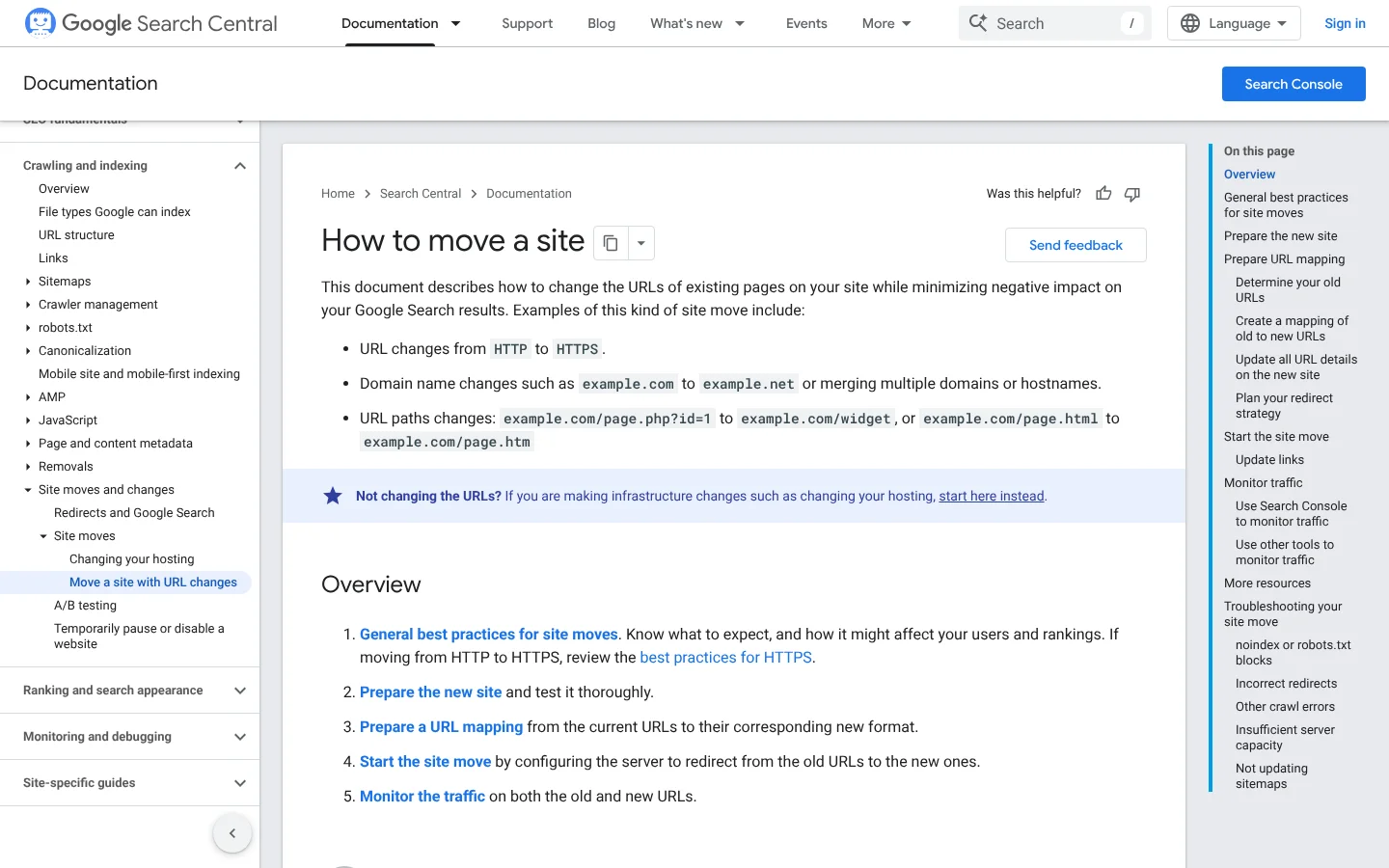
Check noindex tags with care on every template. A noindex tag only works when robots.txt doesn't block the page, so a leftover block can hide a leftover noindex from you and from Google.
The Change of Address tool is for moves between domains or subdomains only. It needs a 301 from the old homepage to the new one, and ownership of both properties in Search Console.
After launch: the first 8 weeks
Google expects temporary ranking changes during a move. A small to medium site can take a few weeks for most pages to move, and larger sites take longer, based on Google's guide.
Fix crawl errors every day
Crawl the new site on launch day, then check Search Console's Page indexing report each morning for the first two weeks. Fix any 404 that has traffic or links with a redirect to the right page.
Server logs show which old URLs Googlebot still requests. Luckily, these also point to any old URLs your redirect map missed.
Watch rankings and traffic for 4 to 8 weeks
Compare clicks, positions and conversions with your benchmark every week. Traffic to the old URLs should fall while traffic to the new ones rises, and Google needs to visit every old and new URL once.
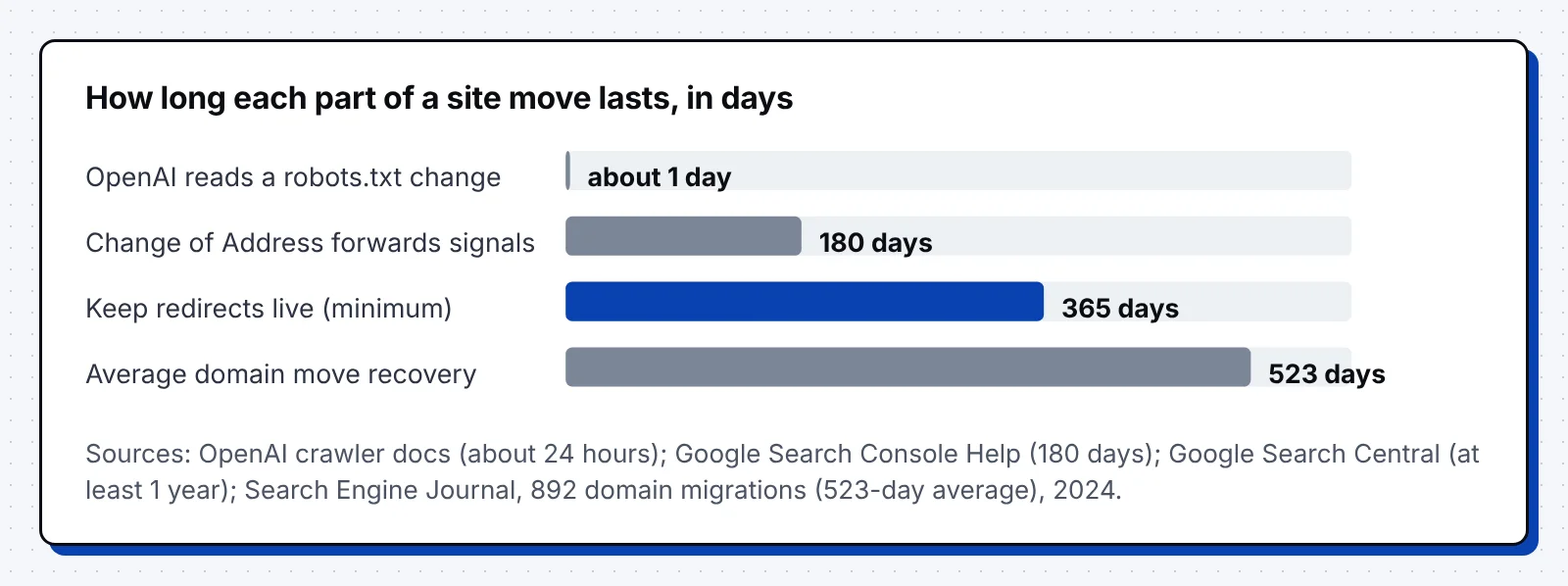
Keep the redirects live for at least a year, as Google advises. The Change of Address tool forwards signals for 180 days, and redirects should stay longer if Google still sends traffic to them.
Update internal and external links
Update every internal link, menu and canonical to point to the new URLs, so no link runs through a redirect. Then ask the sites behind your top backlinks to update theirs, starting with the ones that send traffic.
Links to your site break fast once URLs change. At least 66.5% of links to sites over the last nine years are dead, across the 2 million websites in an Ahrefs link rot study.
Check AI crawler access
A new host, CDN or robots.txt can block AI search bots by accident. Check these settings after launch:
- Sites that opt out of OAI-SearchBot are not shown in ChatGPT search answers, and a robots.txt change takes about 24 hours to apply.
- Blocking Claude-SearchBot stops Anthropic from indexing your content for search answers in Claude.
- Since July 2025, Cloudflare asks every new domain whether to allow AI crawlers, with blocking as the default.
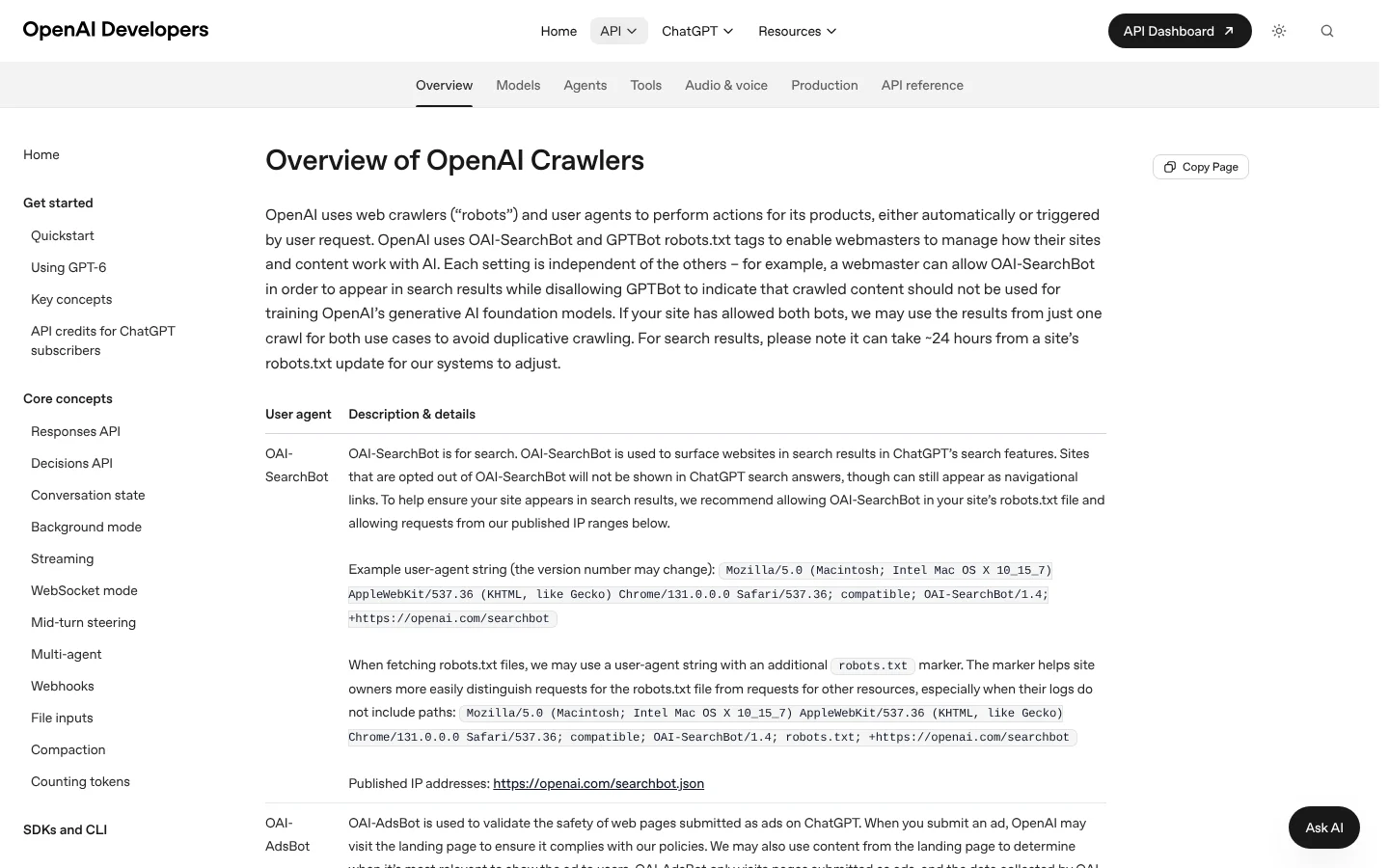
Allow the search bots you want answers from, and decide on training bots like GPTBot as a separate choice. Our guide to SEO best practices covers the rest of the setup for Google and AI search.
Common website migration SEO mistakes
Most failed revamps trace back to a short list of errors. These are the ones to check for first:
- Redirecting every old URL to the homepage instead of the closest matching page.
- Using 302 redirects for a permanent move, so Google keeps the old URLs in results.
- Launching with the staging noindex tag or robots.txt block still in place.
- Cutting long pages down to short copy blocks that no longer answer the search.
- Removing redirects after a few months, before Google and linking sites catch up.
- Changing the domain, the URLs and the design all in one launch.
Fortunately, each one is easy to catch with a crawl before launch. Tech companies with large docs or product catalogs face extra steps, which our B2B tech SEO guide covers.
FAQ
Does a website redesign affect SEO?
Yes, a redesign affects SEO whenever it changes URLs, content, internal links or templates. With a full redirect map and the same content carried over, Google expects only temporary ranking changes.
How long does it take to recover rankings after a website migration?
Most pages on a small to medium site move to their new URLs within a few weeks, and larger sites take longer. Domain moves can take far longer, with a 523-day average in one study of 892 migrations.
Should you use 301 or 302 redirects for a redesign?
Use 301 or 308 redirects for any URL that changes for good. Google treats 302 and 307 redirects as temporary and keeps showing the old URL in search results.
How long should you keep redirects after a site migration?
Keep redirects live for at least one year, and longer if old URLs still get traffic. Google advises keeping them for as long as possible.
Do you need the Change of Address tool for a redesign?
You only need it when the domain or subdomain changes. A redesign on the same domain, or a move from HTTP to HTTPS, does not need it.
A good first step is to crawl your current site this week and save the export with your Search Console baseline. If you'd like a second pair of eyes on your redirect map before launch, book a discovery call with our team.