Homepage SEO is the work of making your homepage easy for search engines and AI assistants to understand, so it ranks for your brand and sends visitors to the right pages. Most B2B homepages get a lot of design attention and very little SEO attention, which leaves easy wins on the table.
When I audit a B2B site, the homepage is usually where I start, because the same small fixes come up again and again. Most of them take an afternoon, and they help every other page on the site.
In this guide, I'll walk you through what your homepage should target and how to set up each part of it. We'll finish with real B2B examples and a checklist you can work through with your team.
What is homepage SEO?
Homepage SEO means optimizing the root URL of your site, like example.com, so search engines and AI tools understand what your company sells and who it serves. It covers the title tag, meta description, headings, copy, internal links, structured data and page speed.
Google uses your homepage to work out your site name, and it's often the first result when someone searches for your company by name.
Here's what a homepage with good SEO does for a B2B company:
- It ranks first for your brand name and the common ways people shorten or misspell it.
- It tells Google and AI assistants, in one clear line, which category your company belongs to.
- It passes authority from your backlinks to your product, service and resource pages.
- It loads fast enough that a buyer on a phone stays on the page.
Semrush's homepage SEO guide says the main SEO goal of a homepage is to rank for branded keywords. I agree, and I'd add that it also has to explain your category well enough for AI answers to repeat it correctly.
What your homepage should and shouldn't target
The most common homepage SEO mistake I see is asking one page to rank for everything. A team wants the homepage to win "CRM software" and "sales automation" at the same time, and the page ends up ranking well for neither.
A better plan gives the homepage your brand name and one category phrase. Dedicated pages then go after the bigger commercial keywords, where they can match the search intent much more closely.
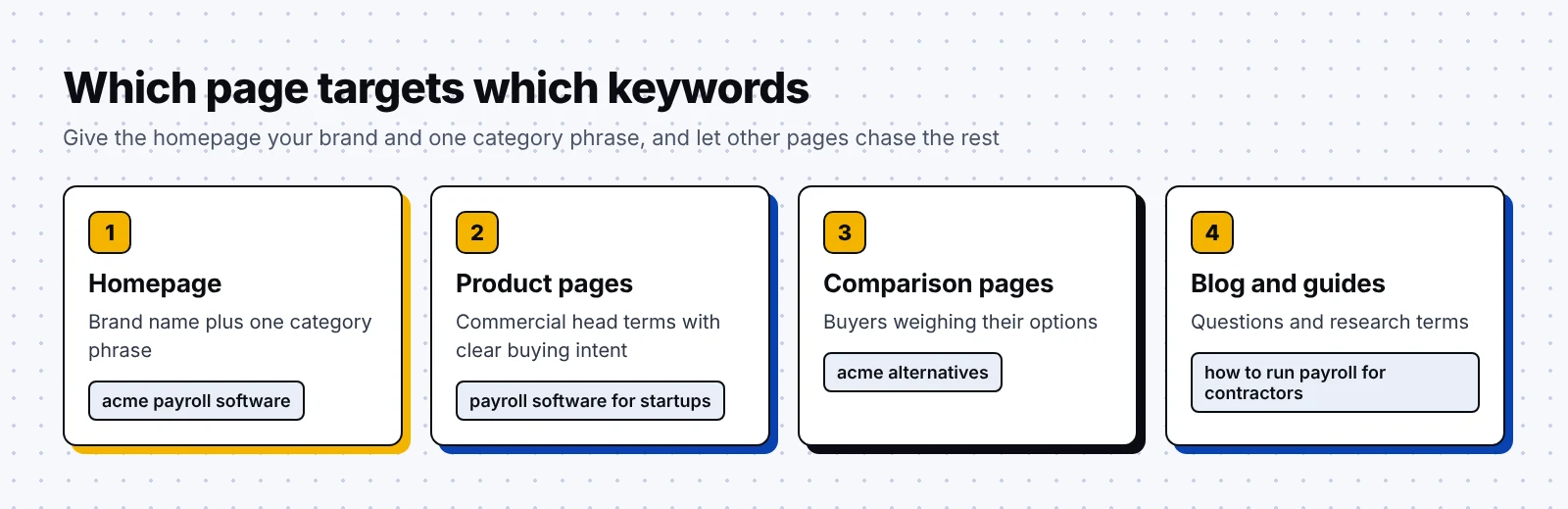
Here's how I usually split keywords across a B2B site:
| Page | What it targets | Example query |
|---|---|---|
| Homepage | Brand name plus one category phrase | "acme" or "acme payroll software" |
| Product or service page | Commercial head terms | "payroll software for startups" |
| Comparison and alternatives pages | Buyers weighing their options | "acme alternatives" |
| Blog posts and guides | Questions and research terms | "how to run payroll for contractors" |
What to target on your homepage:
- Your company name, plus any product names people search for alongside it.
- One category phrase that describes what you sell, like "payroll software" or "B2B SEO agency".
- A short audience modifier when it's central to your positioning, like "for SaaS companies".
What to leave for other pages:
- Long lists of service keywords that each deserve a page of their own.
- Question keywords such as "what is payroll compliance", which fit better on a guide.
- City keywords for places where you don't have an office or a real local presence.
Honestly, this split also makes the homepage easier to write, since the copy can focus on convincing buyers once it only has to own your brand and your category.
How to write your homepage title tag and meta description
The title tag is the clickable headline Google shows in search results, and the meta description is the short text under it. On a homepage, both should name your brand and say plainly what your company does.
Google's own title link guidance asks you to avoid vague labels like "Home" on the homepage. It also calls the homepage title a reasonable place for a little extra information about your site.
The title formula I use most often starts with the brand name, adds a separator, and then names your category and audience. A few titles written in that format:
- Perceptric | SEO/GEO Agency For B2B SaaS Companies
- Acme | Payroll Software For Remote Teams
- Acme | Payroll and HR Platform For Startups
Google doesn't always show your title tag as written, and in a 2021 study of 953,276 pages, Ahrefs found that Google rewrote the title 33.4% of the time.
Luckily, you can lower those odds with two habits from Zyppy's guide to title rewrites, which is based on its own testing: match the title to the H1, and keep it to roughly 51 to 60 characters.
For the meta description, Google's snippet documentation recommends a description of the whole site on the homepage. It adds that if you can't write a description for every page, your homepage and most popular pages are the place to start.
What to put in your homepage meta description:
- What you sell, written in the words your buyers use to describe it.
- Who it's for, described by industry, company size or job role.
- One concrete proof point, such as a customer count or a client you have permission to name.
- A gentle next step, like "See how it works" or "Book a demo".
Google doesn't set a character limit for descriptions and truncates snippets to fit the screen. I keep homepage descriptions to about 150 to 160 characters, so the core message survives on a phone.
Your homepage H1 and copy
The H1 is the main heading on the page, and on most B2B homepages it's the big line in the hero section. It should tell a new visitor which category you're in within a few seconds of landing.
For SEO and AI answers, I prefer an H1 that includes your category phrase, with any brand slogan moved to the subheading or a later section.
To test your H1, try this:
- Read the H1 out loud to someone who works outside your industry.
- Ask them what your company sells and what kind of company would buy it.
- If they can't answer, add your category phrase to the H1 or to the line right under it.
- Check that the H1 roughly matches your title tag, so Google sees one consistent message.
Below the hero, each section should add one clear fact about what you do, since search engines and AI tools read the whole page.
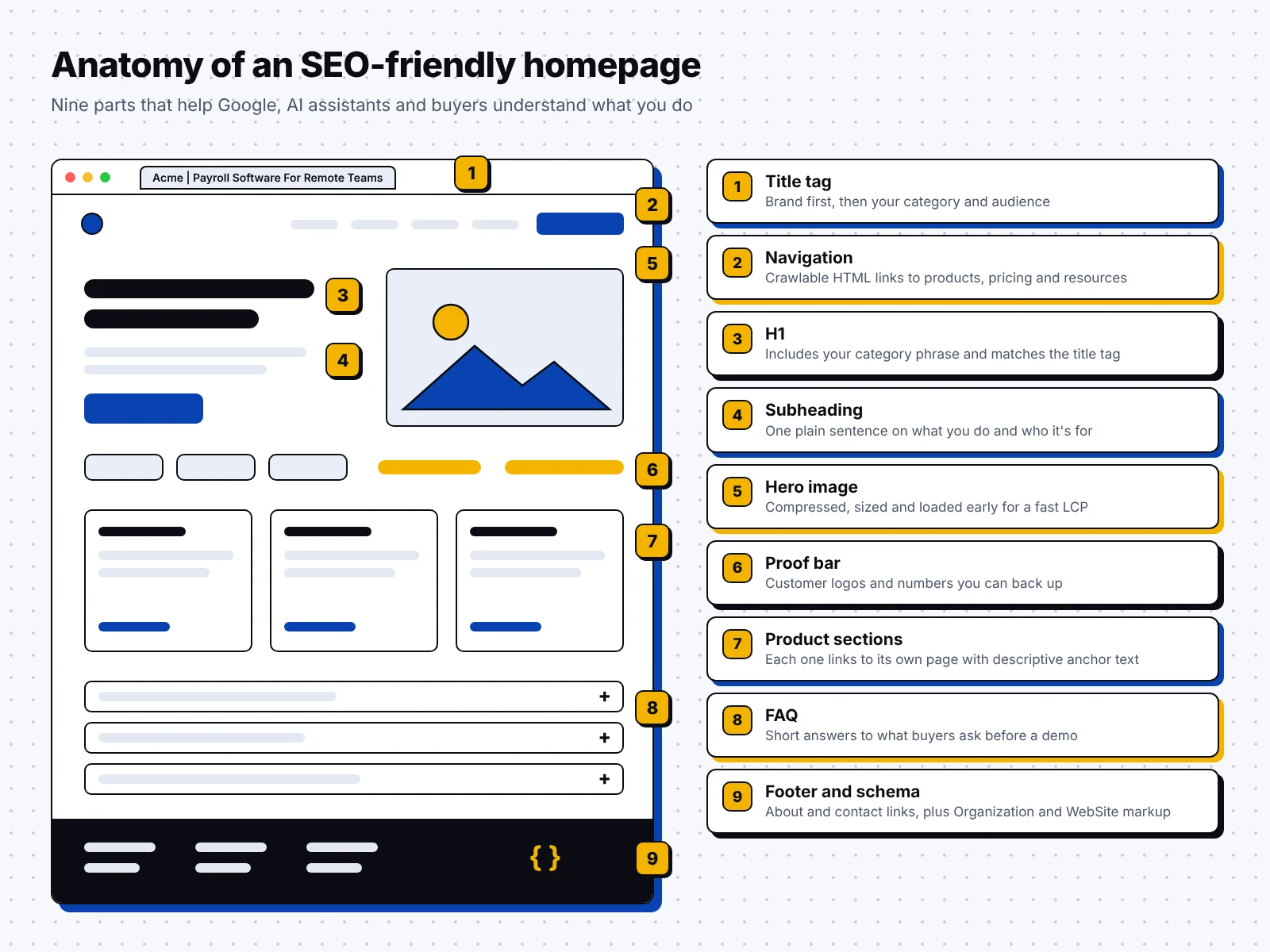
What your homepage copy should cover:
- A single sentence that describes what you do, written so an AI assistant could quote it as is.
- Your main products or services, each with a short line and a link to its own page.
- The industries or teams you serve, named in plain words.
- Proof, such as customer logos, numbers you can back up and links to short case studies.
- Short answers to the questions buyers ask most often before they book a demo.
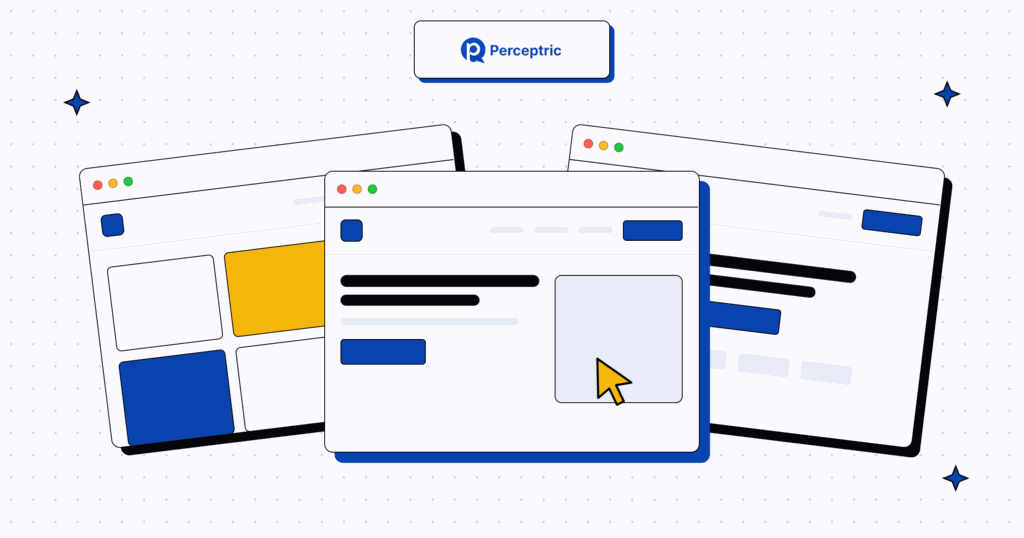
The illustration below shows how those parts fit together on a single page:
For more ideas on layout and messaging, take a look at my roundup of the best B2B website examples.
Internal links and navigation on the homepage
In most backlink profiles I review, the homepage collects more links than any other page, since people tend to link to a company by its main URL. Your internal links decide where that authority goes next.
I think of the homepage as a hub that points clearly to the pages you most want to rank. Those pages then point to the guides and case studies that support them.
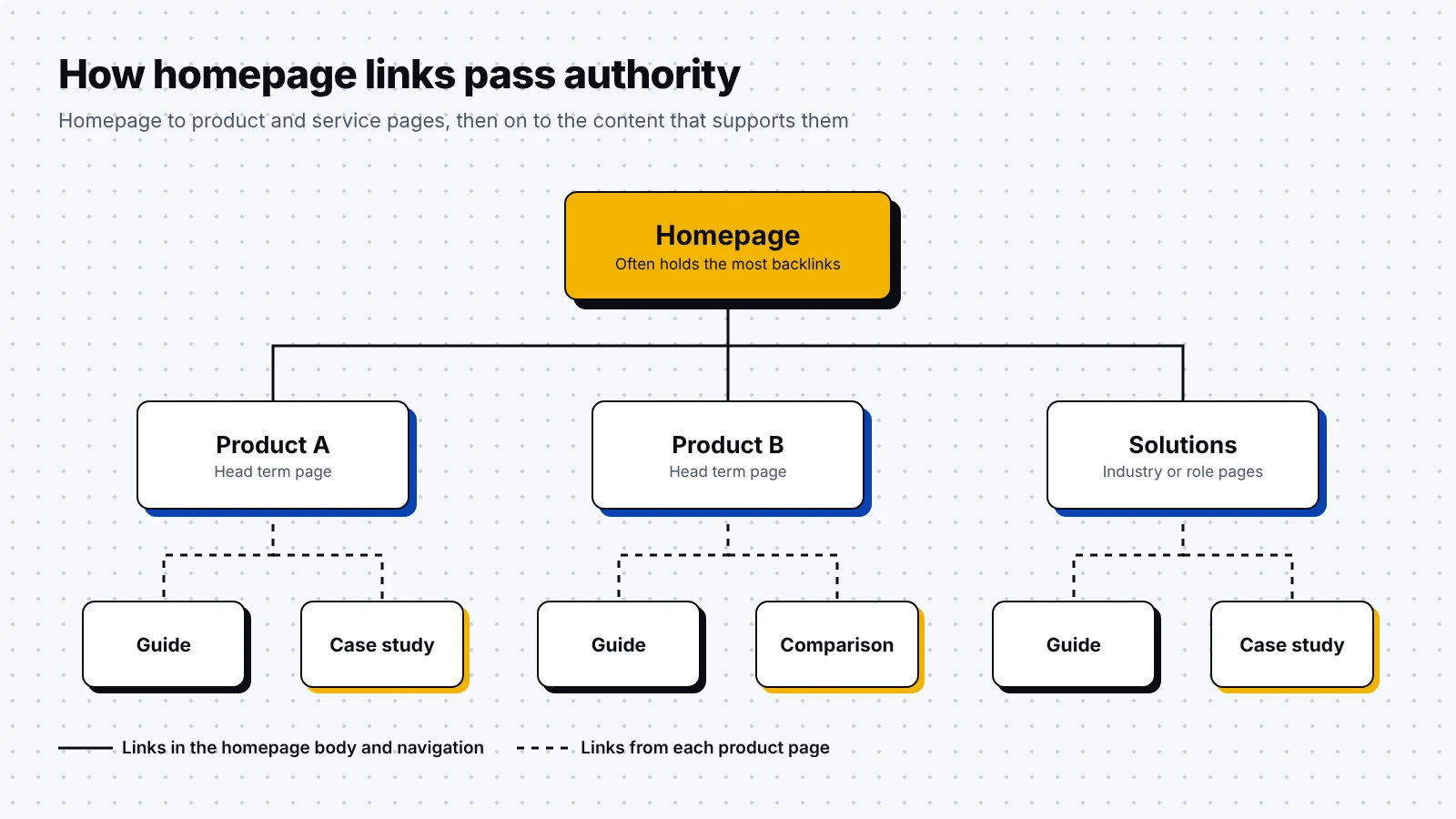
Do this with your homepage links:
- Link each main product or service from the homepage body, with anchor text that names it.
- Keep the main navigation focused on the pages buyers need, like products, pricing and resources.
- Use plain HTML links with an href, which search crawlers can follow reliably.
Avoid these:
- Main service pages hidden behind menus that only appear after JavaScript runs.
- "Learn more" as the anchor text on every card on the page.
- Dozens of blog post links, which pull attention from the pages that matter most.
Thankfully, navigation changes are cheap to test, so update the links, request indexing in Google Search Console and watch how your main service pages move over the next few weeks.
Homepage schema: Organization and WebSite structured data
Structured data is code that labels the facts on a page for search engines, and the two types that matter most on a homepage are Organization and WebSite.
Google's Organization structured data documentation says this markup on your homepage can help Google understand your company and tell it apart from others. Some properties can also influence which logo Google shows in results and in your knowledge panel.
What to know about Organization markup:
- Google lists no required properties and recommends adding as many relevant ones as you can.
- Useful properties include name, url, logo, description and sameAs links to your official profiles.
- You can place it on your homepage or on a single page that describes the company, like your about page.
WebSite structured data tells Google which site name you prefer. According to Google's site name documentation, this markup belongs on the homepage at the root of your domain or subdomain. Google supports one site name per site and treats yours as a preference.
What to know about WebSite markup:
- Use the name property for your preferred site name, spelled exactly as you want it to appear.
- Add alternateName for an acronym or a shorter version of your name that people also use.
- Keep the name consistent with your title tag and og:site_name, since Google reads those as well.
Fortunately, you can adapt the example below in a few minutes. Swap in your own details and test the code with Google's Rich Results Test before you publish it.
<script type="application/ld+json">
{
  "@context": "https://schema.org",
  "@graph": [
    {
      "@type": "Organization",
      "@id": "https://example.com/#organization",
      "name": "Acme",
      "url": "https://example.com/",
      "logo": "https://example.com/logo.png",
      "description": "Acme is a payroll software company for remote teams.",
      "sameAs": ["https://www.linkedin.com/company/acme"]
    },
    {
      "@type": "WebSite",
      "@id": "https://example.com/#website",
      "name": "Acme",
      "alternateName": "Acme Payroll",
      "url": "https://example.com/",
      "publisher": { "@id": "https://example.com/#organization" }
    }
  ]
}
</script>
Page speed and Core Web Vitals on the homepage
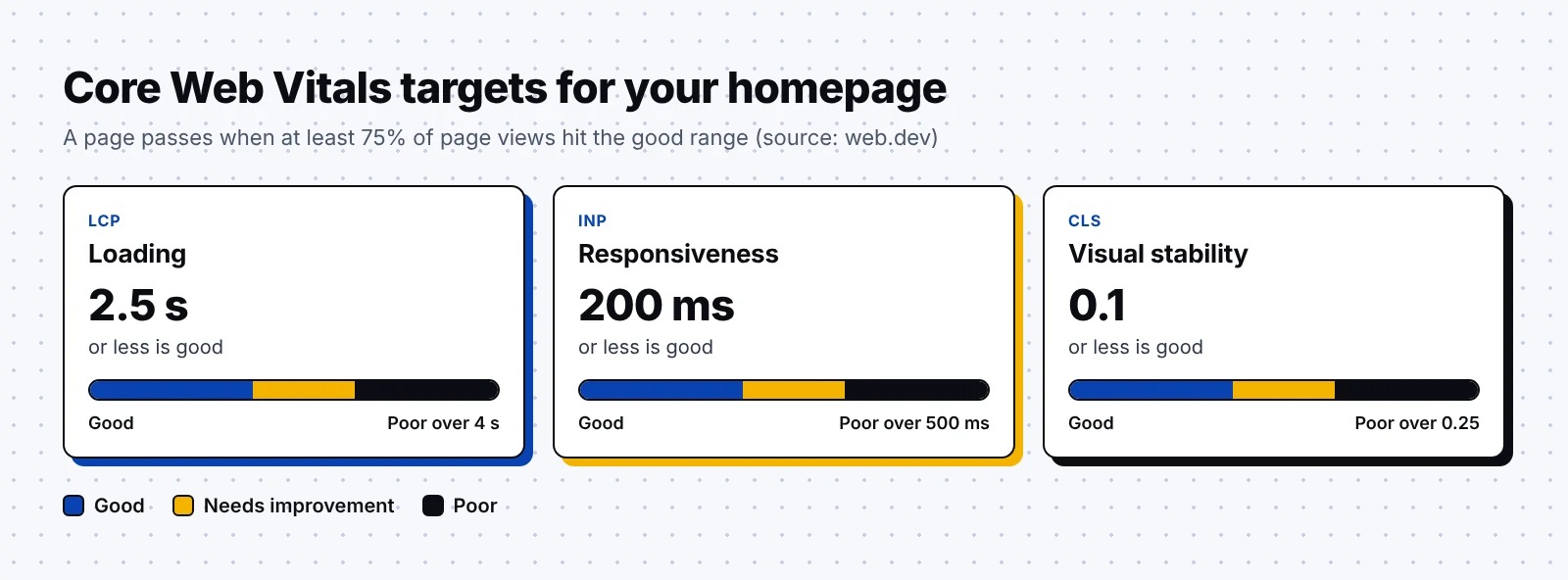
Core Web Vitals are Google's three metrics for loading speed, responsiveness and visual stability. Frankly, the homepage is often the heaviest page on a B2B site, thanks to hero videos, logo carousels and chat widgets, so it's a good place to start measuring.
| Metric | What it measures | Good | Poor |
|---|---|---|---|
| Largest Contentful Paint (LCP) | How fast the main content loads | 2.5 seconds or less | Over 4 seconds |
| Interaction to Next Paint (INP) | How quickly the page responds to clicks and taps | 200 milliseconds or less | Over 500 milliseconds |
| Cumulative Layout Shift (CLS) | How much the layout moves while it loads | 0.1 or less | Over 0.25 |
According to web.dev, a page counts as good on a metric when at least 75% of real page views meet the good threshold. That field data comes from the Chrome User Experience Report, which feeds the field data section of PageSpeed Insights.
Common homepage speed fixes I recommend:
- Compress the hero image and serve it as WebP or AVIF at the size it's displayed.
- Load the hero image early, and never lazy load anything that appears above the fold.
- Replace autoplay background video with a still image and a play button.
- Delay chat widgets, heatmaps and other outside scripts until after the page has loaded.
- Reserve space for logo carousels, cookie banners and embeds, so the layout stays put while they load.
How your homepage shows up in AI answers
When someone asks ChatGPT, Perplexity or Google's AI Mode about your company, the answer draws on what the web says about you. Your homepage is one of the clearest sources you control, so a vague homepage often leads to a vague AI answer.
Google's guide to AI features and your website says the usual SEO best practices still apply to AI Overviews and AI Mode. It also explains that these features may use a technique Google calls query fan-out, which means running several related searches across subtopics to build one answer.
Surprisingly, many B2B homepages never state plainly what the company does or who it serves, which are the first things an AI system would look up.
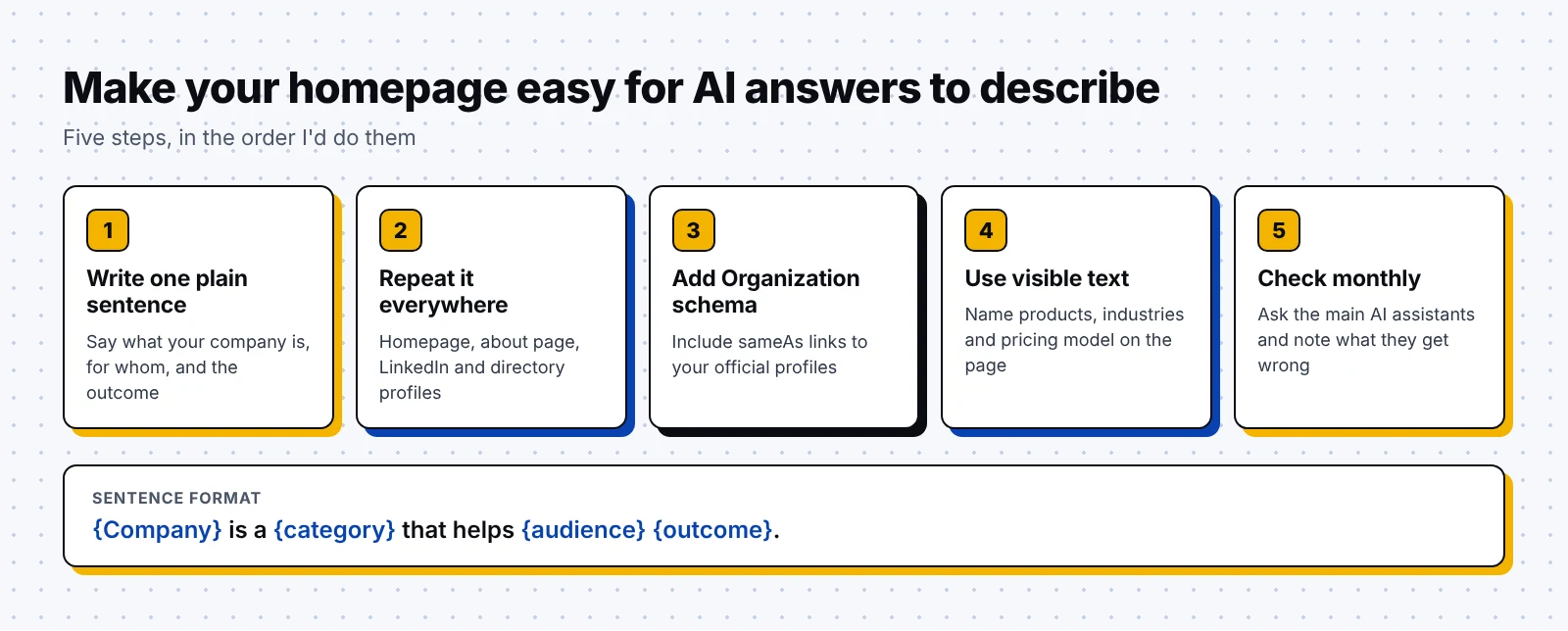
The steps I'd follow, in order:
- Write one plain sentence that says what your company is, in the format "{Company} is a {category} that helps {audience} {outcome}."
- Use that same description on your homepage, about page, LinkedIn page and directory profiles.
- Add Organization schema with sameAs links, so search engines can connect those profiles to your company.
- Name your products, industries and pricing model in visible text on the page.
- Ask the main AI assistants about your company each month and note anything they get wrong.
If you'd like to know where your brand stands in AI search today, our AI visibility audit is a good place to start. I also cover the wider playbook in my guide to GEO for B2B SaaS.
Homepage SEO examples from real B2B companies
Let's look at four B2B homepages that get the basics right. I'm only describing what search results show about each page, so check the live page for the current version.
1. Stripe
Stripe is a financial infrastructure company that helps businesses accept payments and build revenue models online. Its homepage leads with the line "Financial infrastructure to grow your revenue," which names the category in the first two words.
What you can borrow:
- A headline that states the category and the outcome together.
- Proof points with real figures, such as the $1.9T in payments volume Stripe says it processed in 2025.
- Support for 135+ currencies and payment methods, mentioned early on the page.
- Separate sections written for specific audiences, such as platforms and developers.
2. HubSpot
HubSpot is a customer platform company that makes marketing, sales, service and CRM software for growing businesses. Its homepage meta description reads, "HubSpot's customer platform includes all the marketing, sales, customer service, and CRM software you need to grow your business."
Why it works:
- The description names every main product line in a single sentence.
- It uses the words buyers type into Google, like "CRM software" and "customer service".
- The phrase "customer platform" gives search engines and AI answers a clear category to repeat.
3. Zapier
Zapier is an automation company that connects business apps and AI tools so teams can run workflows. Its homepage positions Zapier as an AI orchestration platform, opening with "AI got you thinking" followed by "Zapier gets it done."
What you can borrow:
- A short, memorable hero line paired with a clear category phrase nearby.
- Specific numbers in the copy, like the 8,000+ integrations Zapier lists.
- A mention of the free starting tier, which answers a pricing question before a buyer has to click.
4. Perceptric
Perceptric is the B2B SEO and GEO agency I run, so I'll use our own homepage as a working example. Our title tag reads "Perceptric | SEO/GEO Agency For B2B SaaS Companies," and the H1 says "B2B SaaS SEO/GEO Agency For Pipeline & Revenue."
Why it works:
- The brand comes first in the title, followed by the category and the audience.
- The H1 repeats the category phrase from the title tag.
- The meta description names our services and the industries we work with.
- The page carries both Organization and WebSite structured data.
Homepage SEO checklist
Happily, this checklist takes one sitting, so run it when you launch a new homepage and again once a quarter.
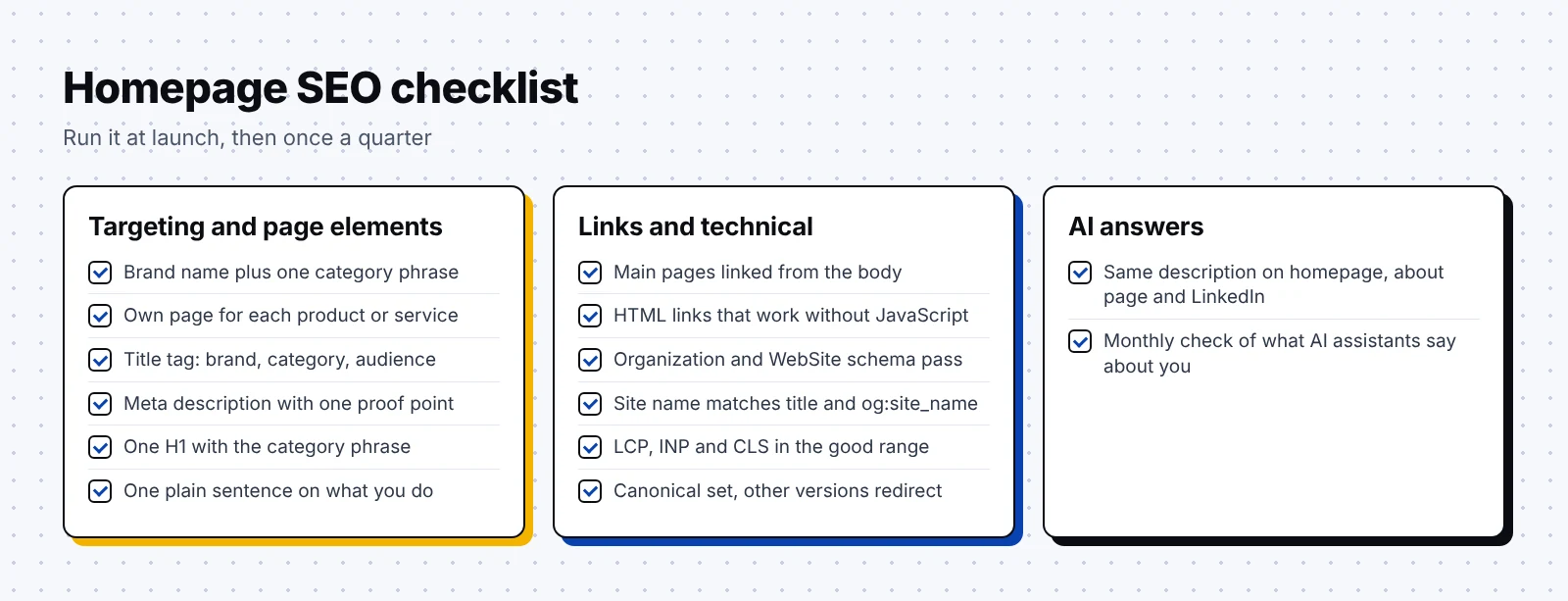
Targeting and page elements
- The homepage targets your brand name plus one category phrase.
- Each main product or service has its own page targeting its own keyword.
- The title tag starts with your brand and names your category.
- The meta description says what you do and who it's for, with one proof point.
- There's one H1, and it includes your category phrase.
- The copy describes your company plainly in a single sentence.
Links and technical
- Every main product or service page is linked from the homepage body.
- Navigation uses standard HTML links that work without JavaScript.
- Organization and WebSite schema pass the Rich Results Test.
- The site name in your schema matches your title tag and og:site_name.
- LCP, INP and CLS sit in the good range in PageSpeed Insights field data.
- The canonical tag points to your preferred homepage URL, and other versions redirect to it.
AI answers
- Your company description matches across your homepage, about page and LinkedIn page.
- You check what the main AI assistants say about your company every month.
Start by working through the checklist above with your team. If you'd like a second pair of eyes after that, our B2B SEO agency team can review your homepage along with the rest of your site.
FAQ
What keywords should a homepage target?
Your homepage should target your brand name plus one category phrase, such as "payroll software" or "B2B SEO agency". Bigger commercial keywords and question keywords work better on dedicated product pages and blog posts.
Should the homepage H1 include a keyword?
Yes, in most cases you should put your category phrase in the H1 or in the line right below it, so visitors and search engines can tell what you sell straight away. Keep the H1 close to your title tag as well.
Which schema should I add to my homepage?
Add Organization structured data to describe your company and WebSite structured data to set your preferred site name. Google says WebSite markup belongs on the homepage, and Organization markup can go on the homepage or your about page.
How do I get my homepage into AI answers?
Write one plain sentence that describes your company, use it consistently across your site and profiles, and add Organization schema with sameAs links. Google says its usual SEO best practices still apply to its AI features.
How long should a homepage title tag be?
Google has no official length limit, but long titles get cut off in results. Zyppy's guide to title rewrites suggests roughly 51 to 60 characters, which is a sensible target for most homepages.
Want to keep learning? Read our guides on SEO best practices, B2B SEO best practices, B2B keyword research and GEO for B2B SaaS.