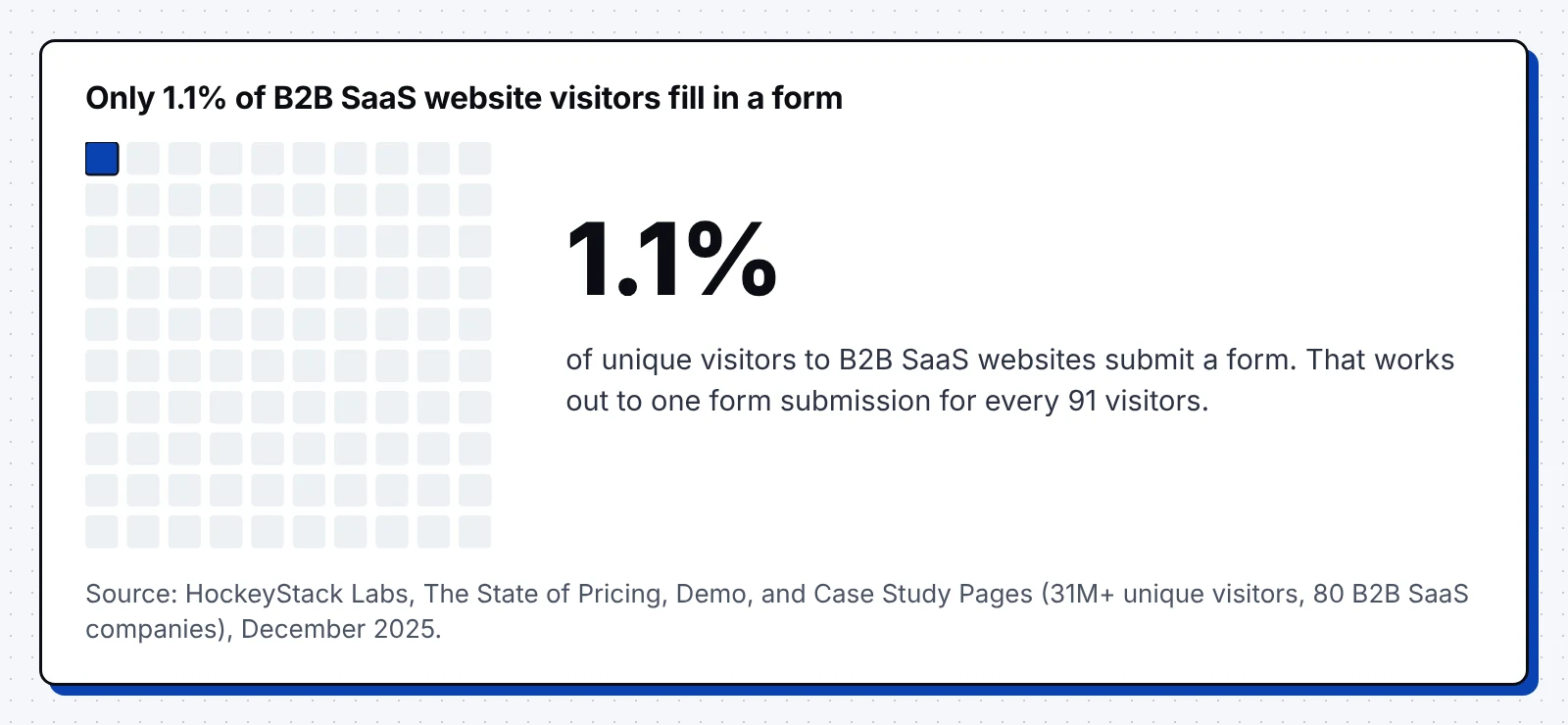
HockeyStack Labs tracked more than 31 million visitors across 80 B2B SaaS companies and found one form submission for every 91 unique visitors. Most of the other 90 left without finding a next step that fit them.
Steady blog traffic next to a thin pipeline report is the pattern we see most on B2B sites. In a 2025 survey, 40% of B2B marketers named content that prompts action as a top challenge. This guide shows how to make content convert with 12 fixes, each with a real example we captured in November 2026.
It also covers eight call to action examples from B2B blogs and the checks we run first.
The gap between traffic and pipeline
When the offer matches the visitor, content converts well: across 13 industries, 4.9% of organic search visits became a qualified lead or sale in 2026. Software sites reached 7.9%, the second highest rate in the Ruler Analytics data from 110 million sessions.
Most SEO content converts to product calls to action at under half a percent across Grow and Convert client blogs.
In our reviews, the gap usually comes from posts that answer the question well and then offer no next step that fits. Our SEO conversion rate benchmarks and conversion rate by channel data show the full range.
What to check first:
- Compare your blog's lead rate with your site average before you change any copy.
- Judge each post by the pipeline it starts, since traffic alone hides the gap.
What we look at first when a blog doesn't convert
We open the top 20 posts by traffic and check these points in order:
- Whether the offer on the page fits what the searcher wanted.
- Where the first call to action sits, and how many readers reach it.
- Whether the product appears inside the advice or only in the footer.
- Which posts link to demo, pricing and comparison pages, and with what anchor text.
- What happens after the form, up to the first meeting.
- Whether the CRM can tell which post a deal started from.
How to make content convert: fixes 1 to 3
1. Match the offer to the search intent
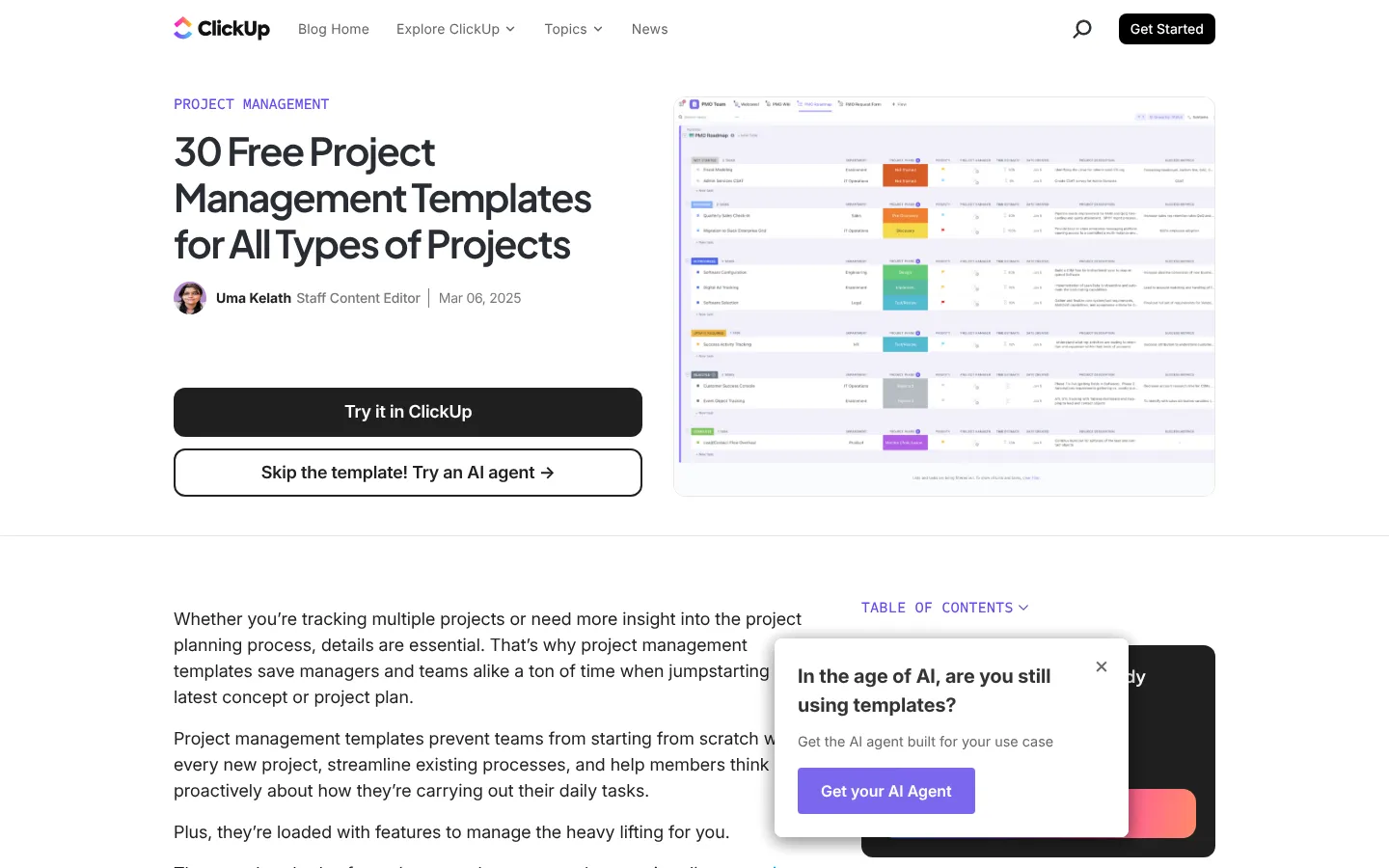
ClickUp, a project management company, puts a "Try it in ClickUp" button under the title of its free templates post, since readers came for a template.
Across 95 client articles, Grow and Convert saw alternatives keywords convert at 8.43%, against 2.44% for jobs-to-be-done keywords.
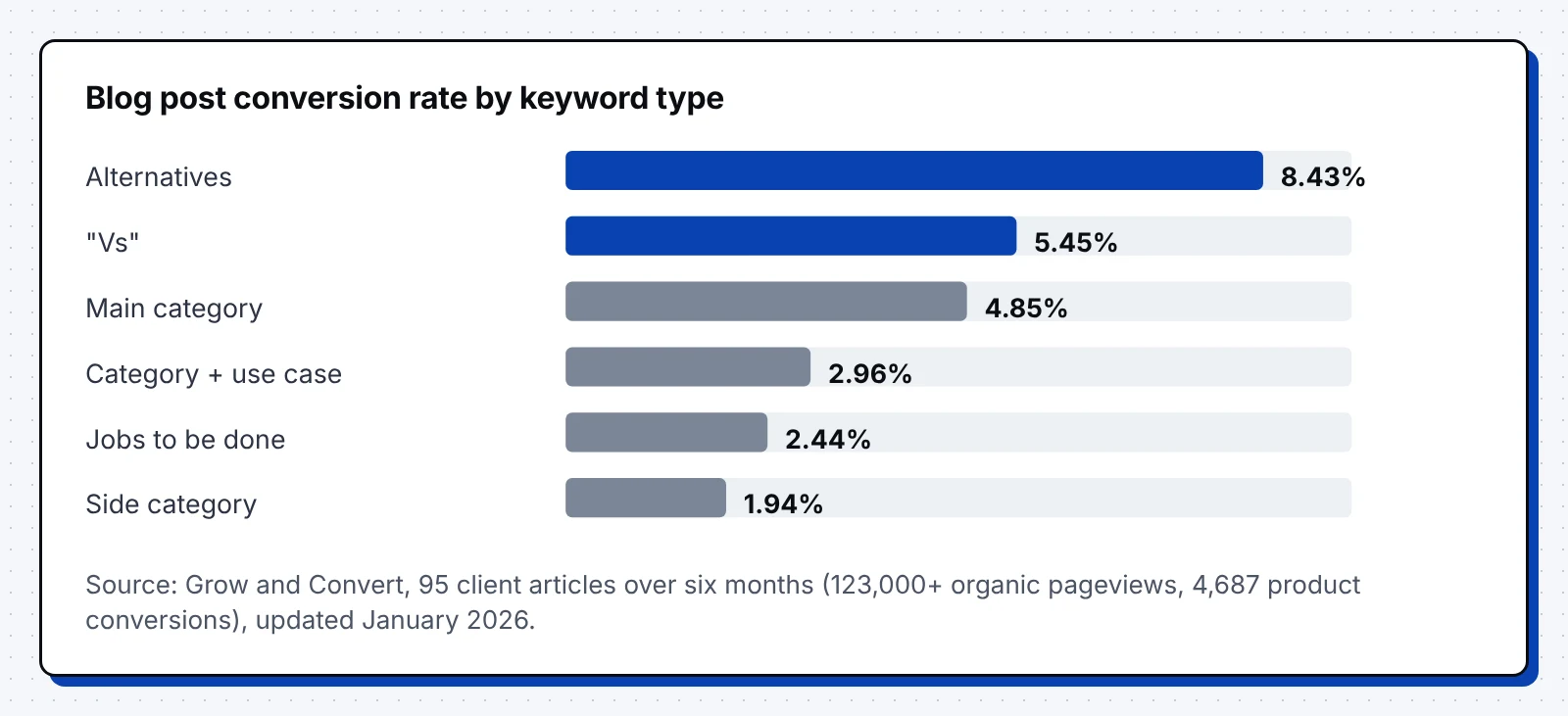
Give "what is" posts a template or checklist, and "best" or "vs" posts a demo or trial. Our BOFU content guide covers which high-intent topics to write first.
2. Put calls to action inside the body
Many readers leave a long post early, so place the first offer after the opening section and again wherever the advice meets your product.
Write each button in plain words that say what happens when the reader clicks. Landing pages at a 5th to 7th grade reading level convert at 11.1%, against 5.3% for professional-level copy, in Unbounce's benchmark of 41,000 pages.
3. Show the product inside the story
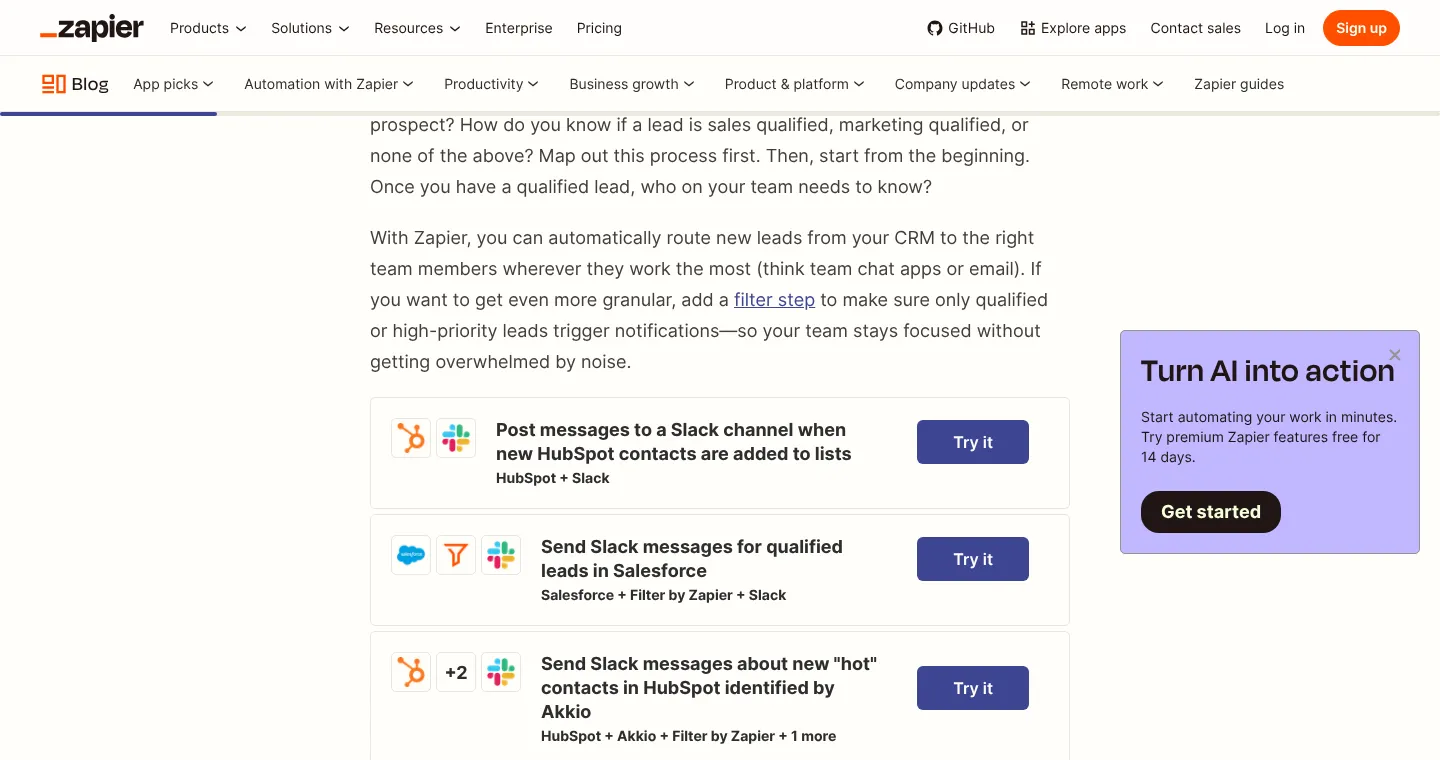
Zapier, an app automation company, ends each tip in its lead management guide with ready-made templates and "Try it" buttons. One of them sends Slack alerts when Salesforce marks a lead as qualified.
Readers learn the method and watch the product run it, so the call to action becomes part of the advice.
What to take from this:
- Write the offer for each post after you check what ranks for its keyword.
- Show one product screen or template wherever a step in the post uses your product.
8 call to action examples from B2B blogs
In November 2026, we captured the call to action inside guides from eight B2B blogs, each in a different format.
HubSpot: a text link that names the asset
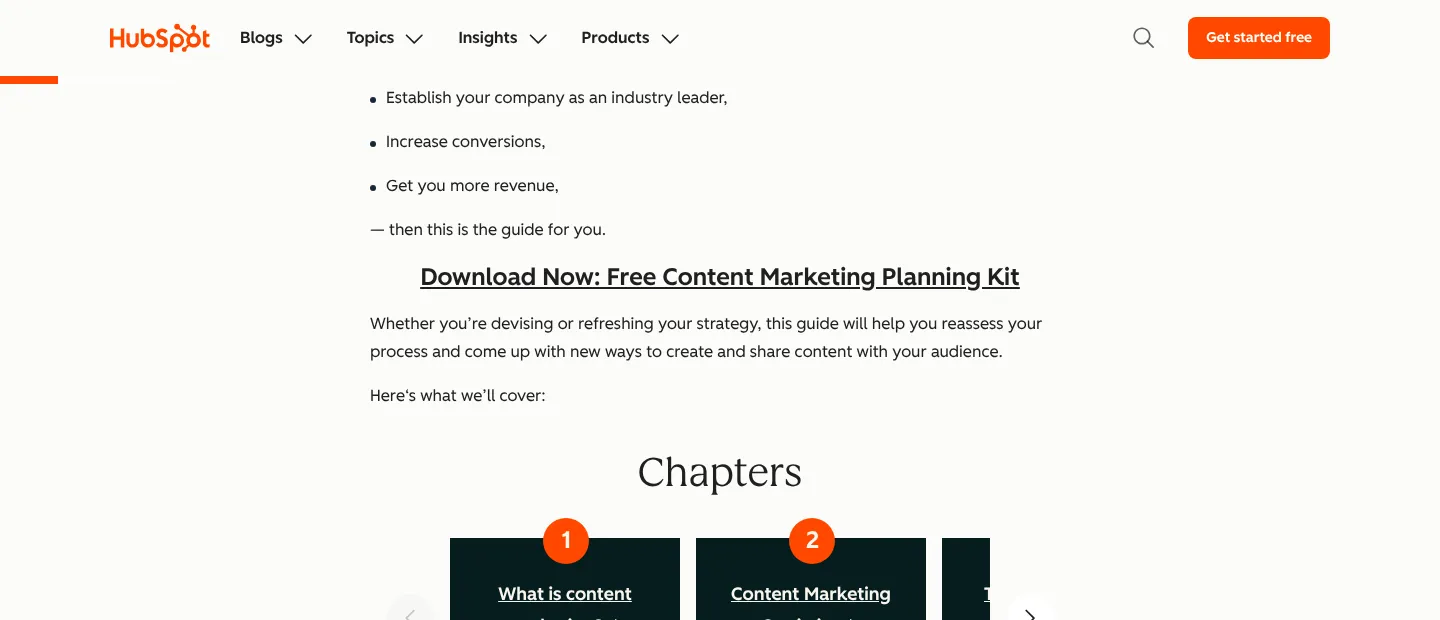
HubSpot opens its content marketing guide with a bold link to a free planning kit, placed before the first chapter.
HubSpot: a template card in the first screen
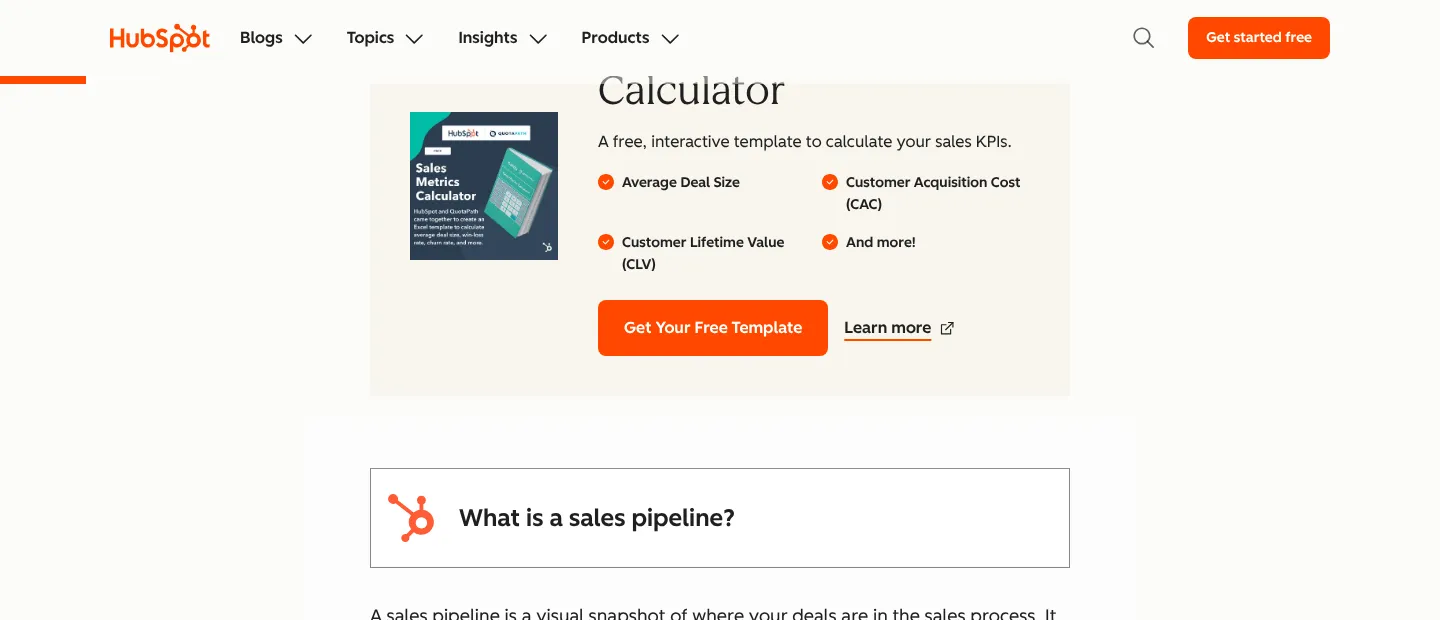
HubSpot's sales pipeline guide shows a card listing what the calculator covers, with a "Get Your Free Template" button.
Zapier: an inline note and a side card
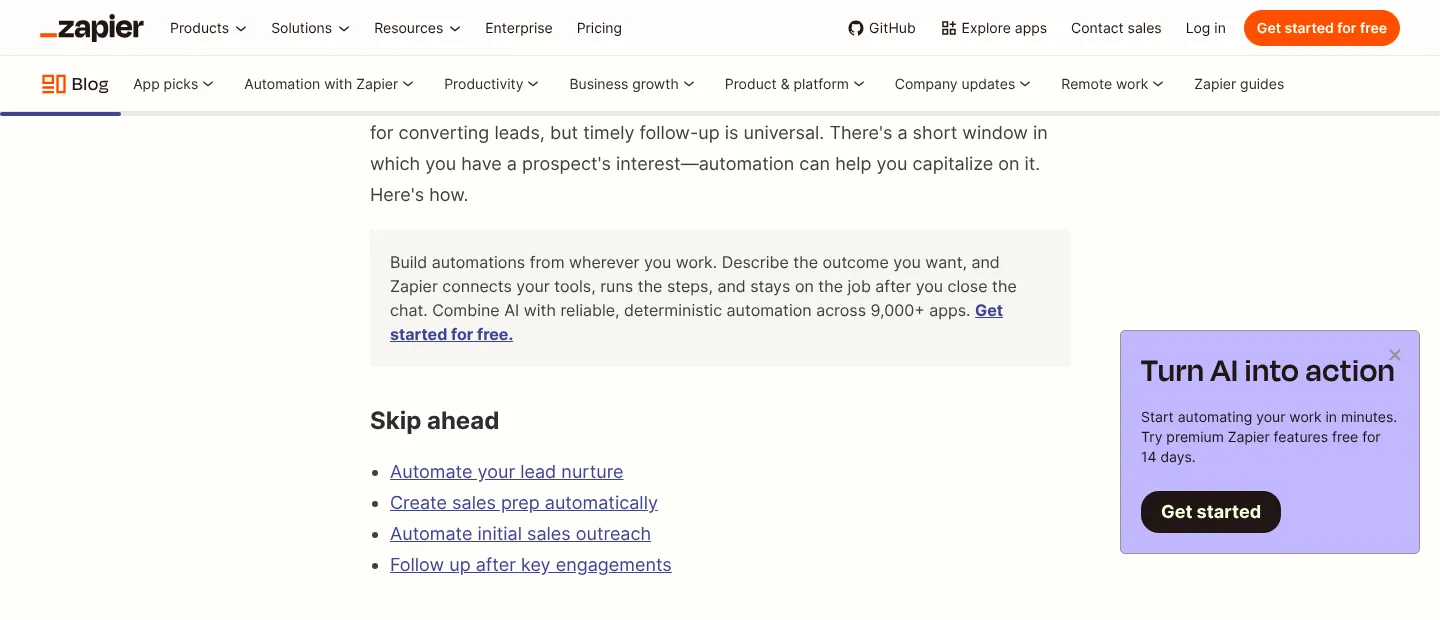
Zapier pairs a gray note in the intro, ending with "Get started for free," with a side card that offers a 14-day premium trial.
Pipedrive: a link right after a customer story
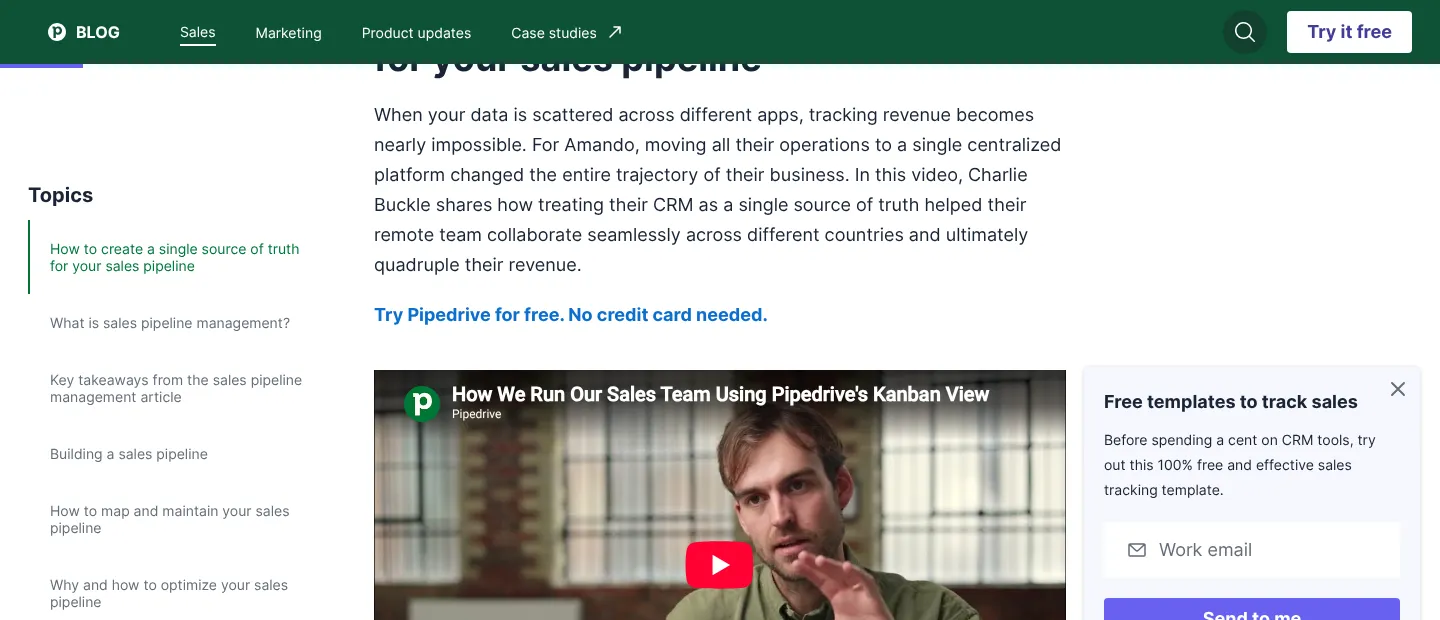
Pipedrive puts a "no credit card needed" trial link under a customer story and adds a slide-in with free templates.
Contentsquare: a two-button box
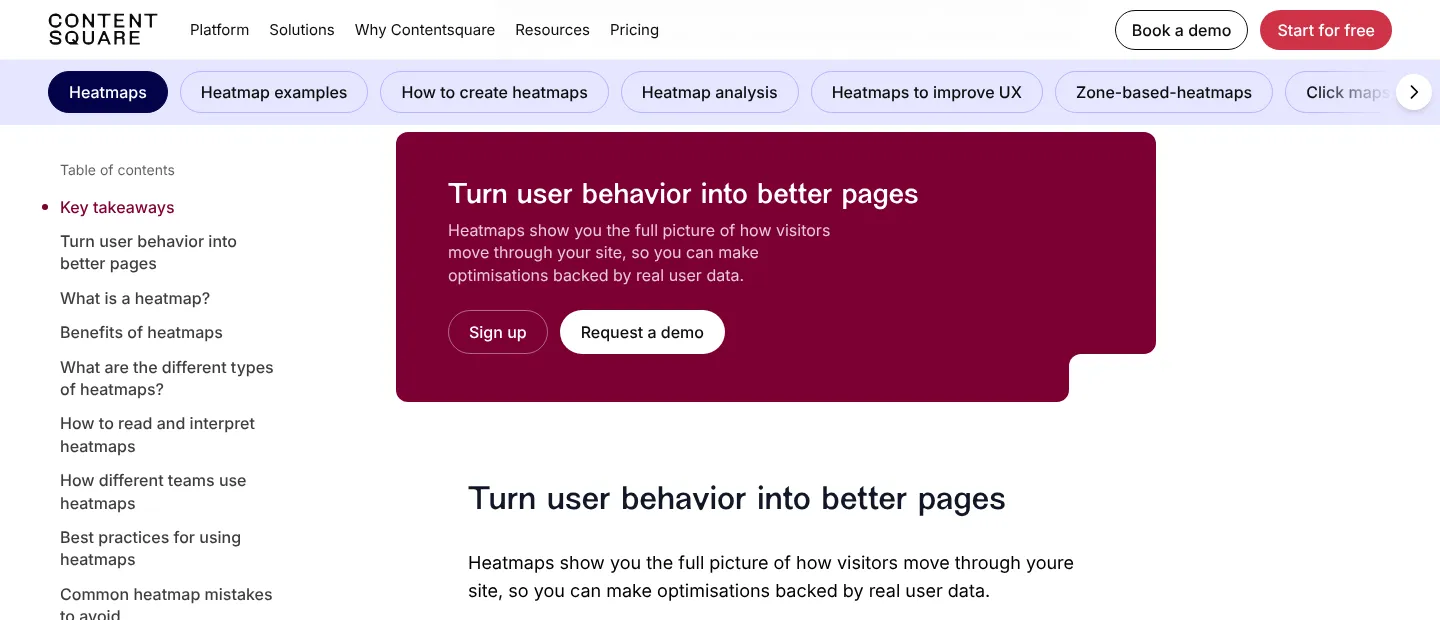
Contentsquare, which owns Hotjar, opens its heatmaps guide with a box of two buttons. "Sign up" serves people ready to try, and "Request a demo" serves teams that want a call.
Ahrefs: an offer tied to the exact problem
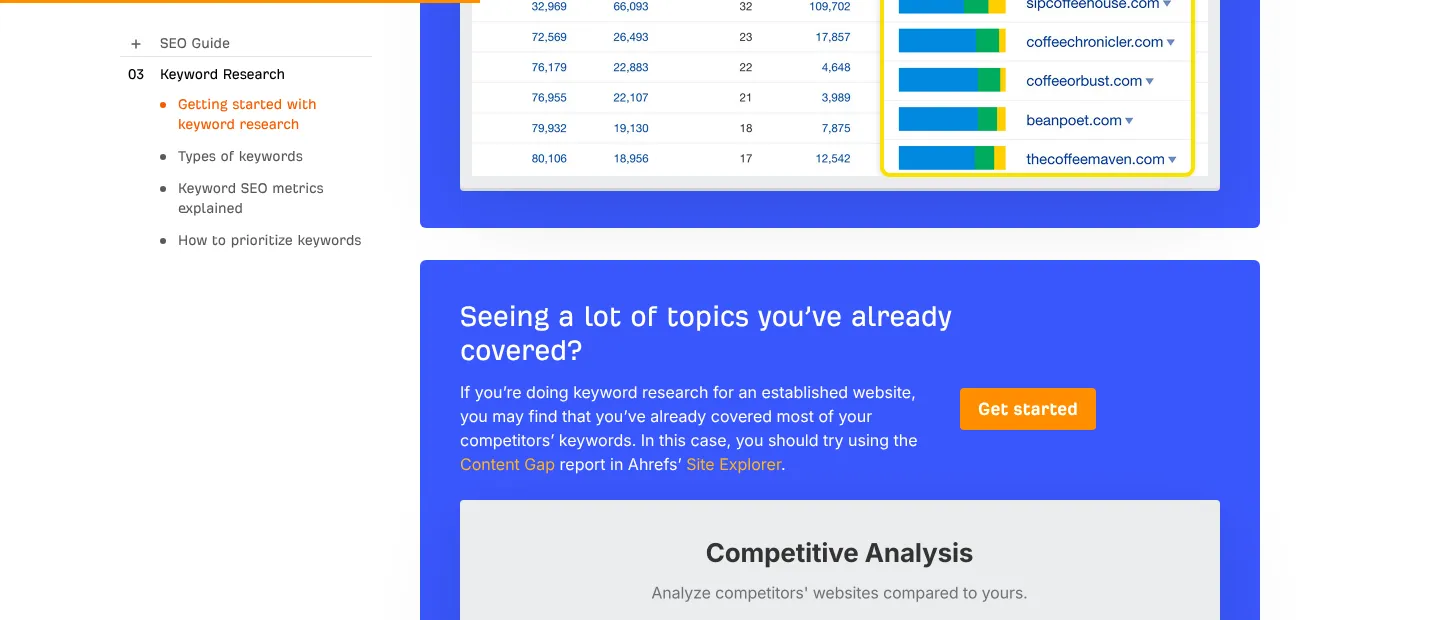
Ahrefs asks "Seeing a lot of topics you've already covered?" in its keyword guide and points to its Content Gap report.
Webflow: a sidebar card under the contents
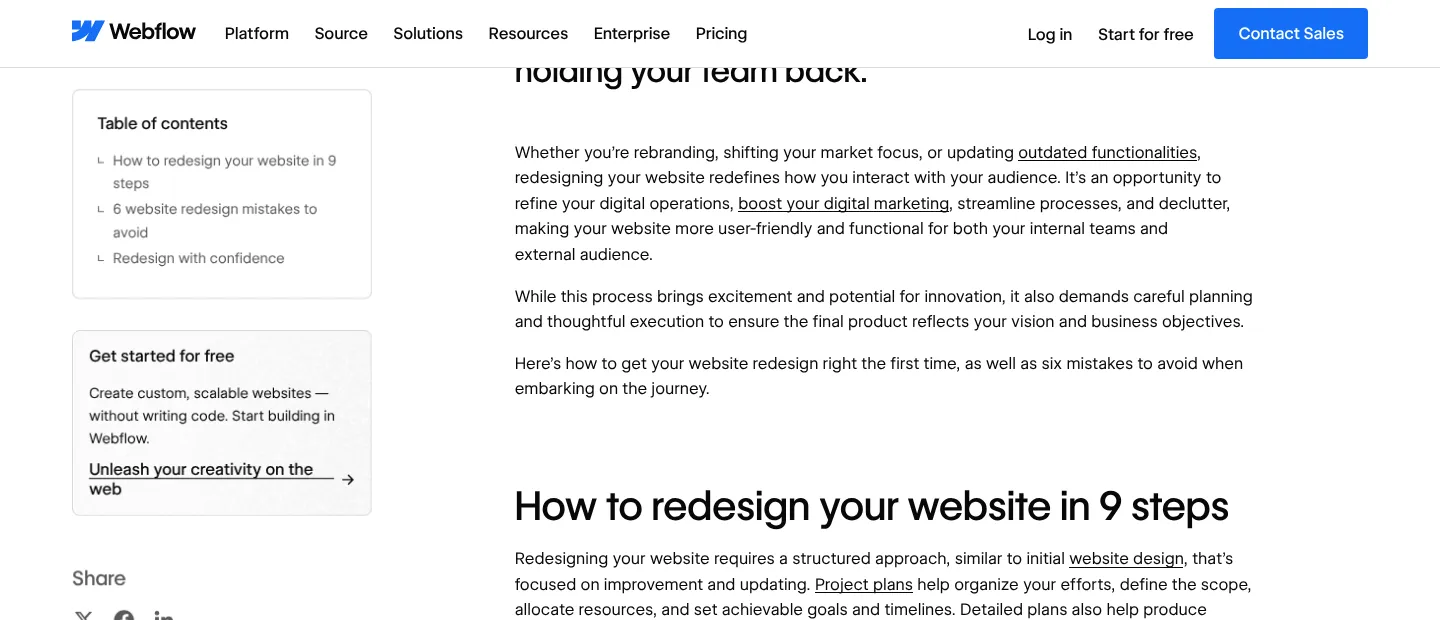
Webflow puts a "Get started for free" card under the table of contents in its redesign guide, where every reader looks.
Semrush: a side card and a slide-in
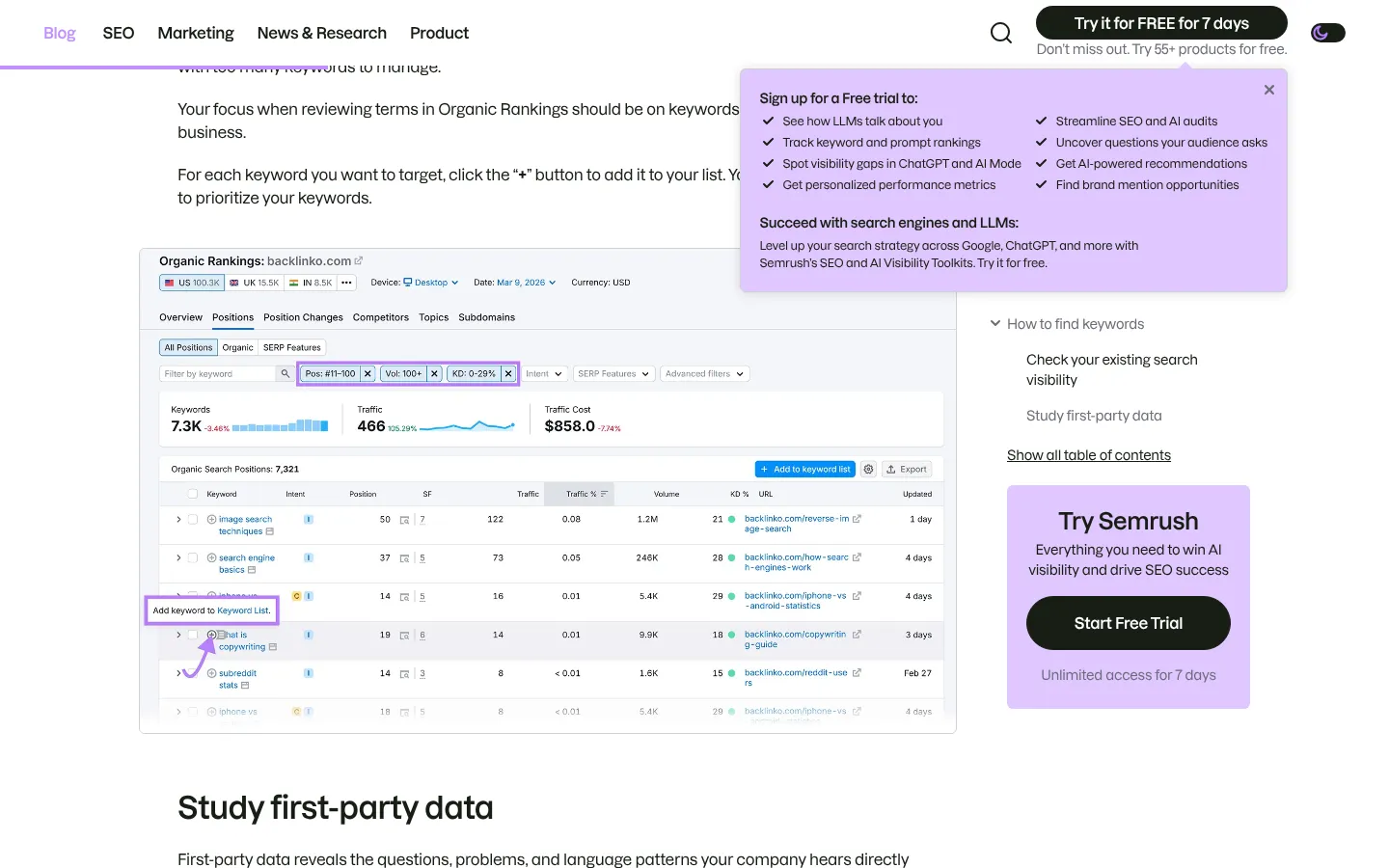
Semrush pairs screenshots in its keyword guide with a "Start Free Trial" side card and a slide-in listing the trial's features.
What to apply on your blog:
- Name the asset or the next step in the button, such as "Get the template".
- Offer a light path and a sales path side by side for readers at different stages.
Fixes 4 to 6: build the paths buyers take
4. Publish comparison pages
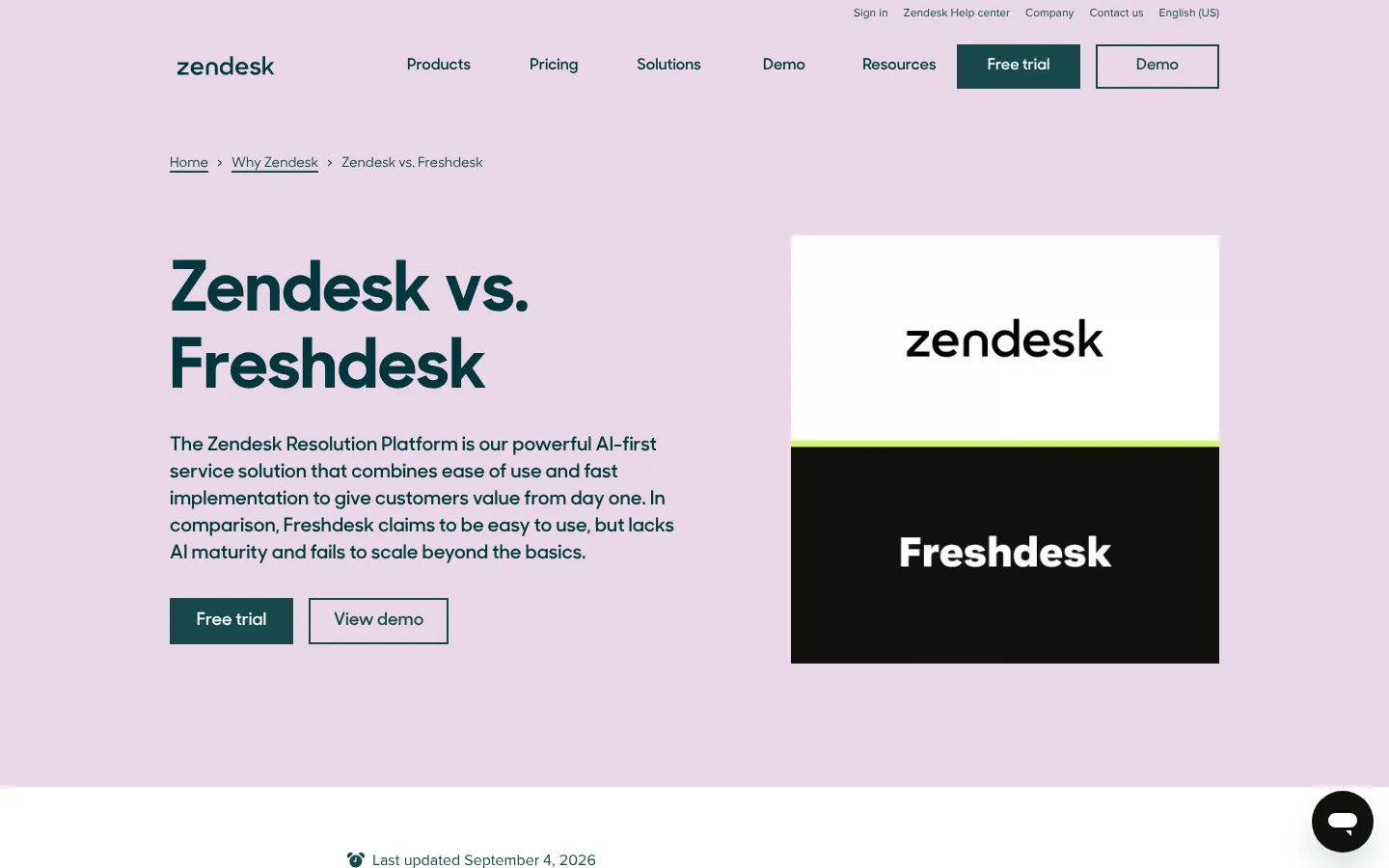
Zendesk, with more than 100,000 customers, opens its Freshdesk comparison page with "Free trial" and "View demo" buttons, then lists why teams switch.
Buyers searching "vs" terms already have a short list, and those keywords converted at 5.45% for Grow and Convert. Sales already answers these questions on calls, so the pages are quick to write.
5. Give every reader a demo path

Demo pages convert at 5.5% on B2B SaaS sites yet get only 0.91% of site traffic in the HockeyStack data. Webflow's blog links "Watch demo" to a product tour with a recorded demo behind a form.
A recorded tour costs little and suits readers who want to see the product first. Link it from posts about tasks your product handles, and save "Get a demo" for readers ready for a call.
6. Make the form part of the booking
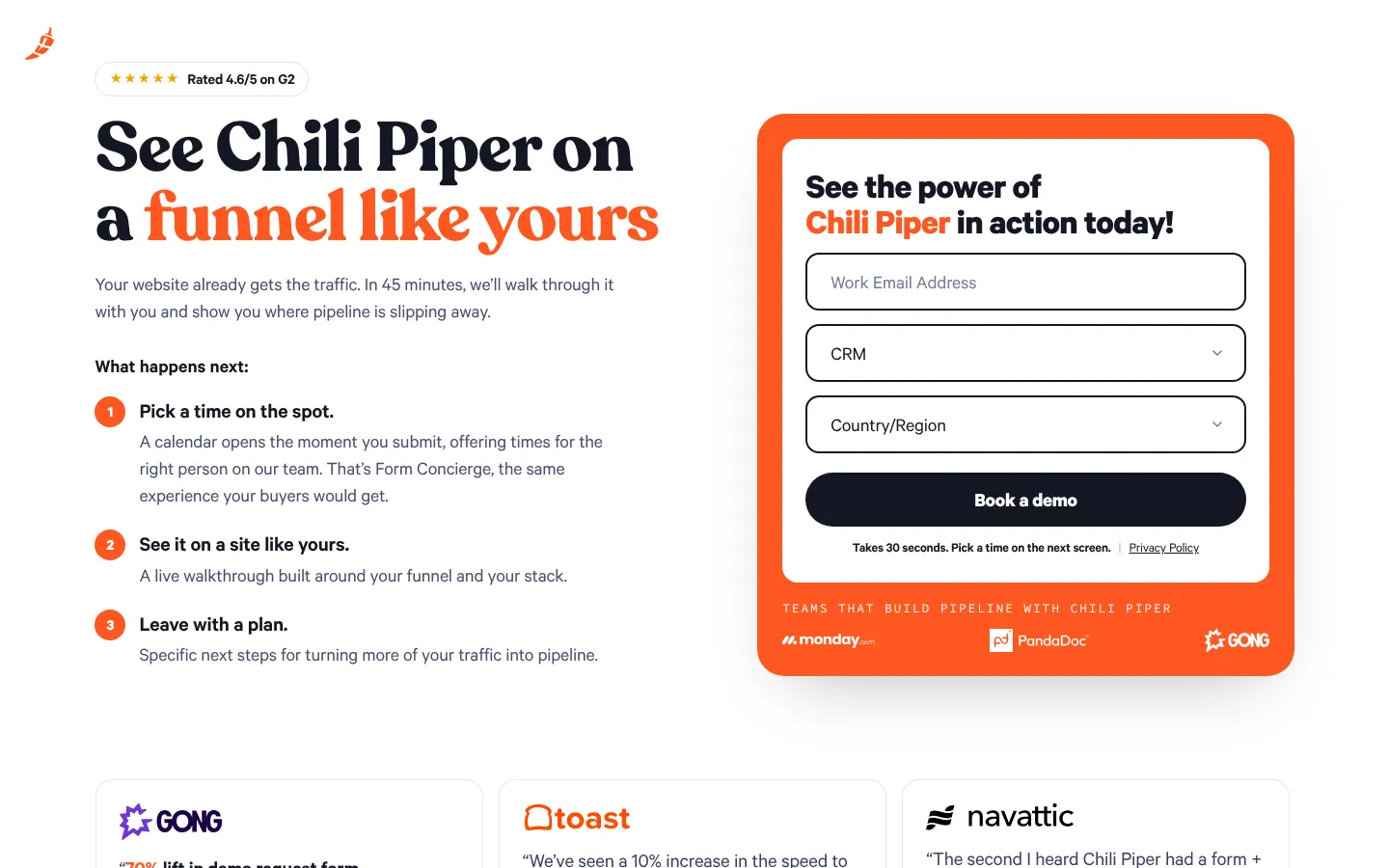
Chili Piper's scheduling software helps B2B teams book meetings from inbound forms. Its demo page asks for a work email, CRM and country, then opens a calendar on submit.
In RevenueHero's data from more than 1 million form fills, the median company booked 62% of qualified leads into meetings. Some booked 77% with 2 form fields and others booked 76% with 13, so the follow-up matters more than field count.
What to build next:
- Turn the five questions your reps hear most into comparison pages.
- Show qualified leads a calendar the moment they submit the form.
Fixes 7 to 9: keep readers moving toward a decision
7. Put social proof next to the CTA
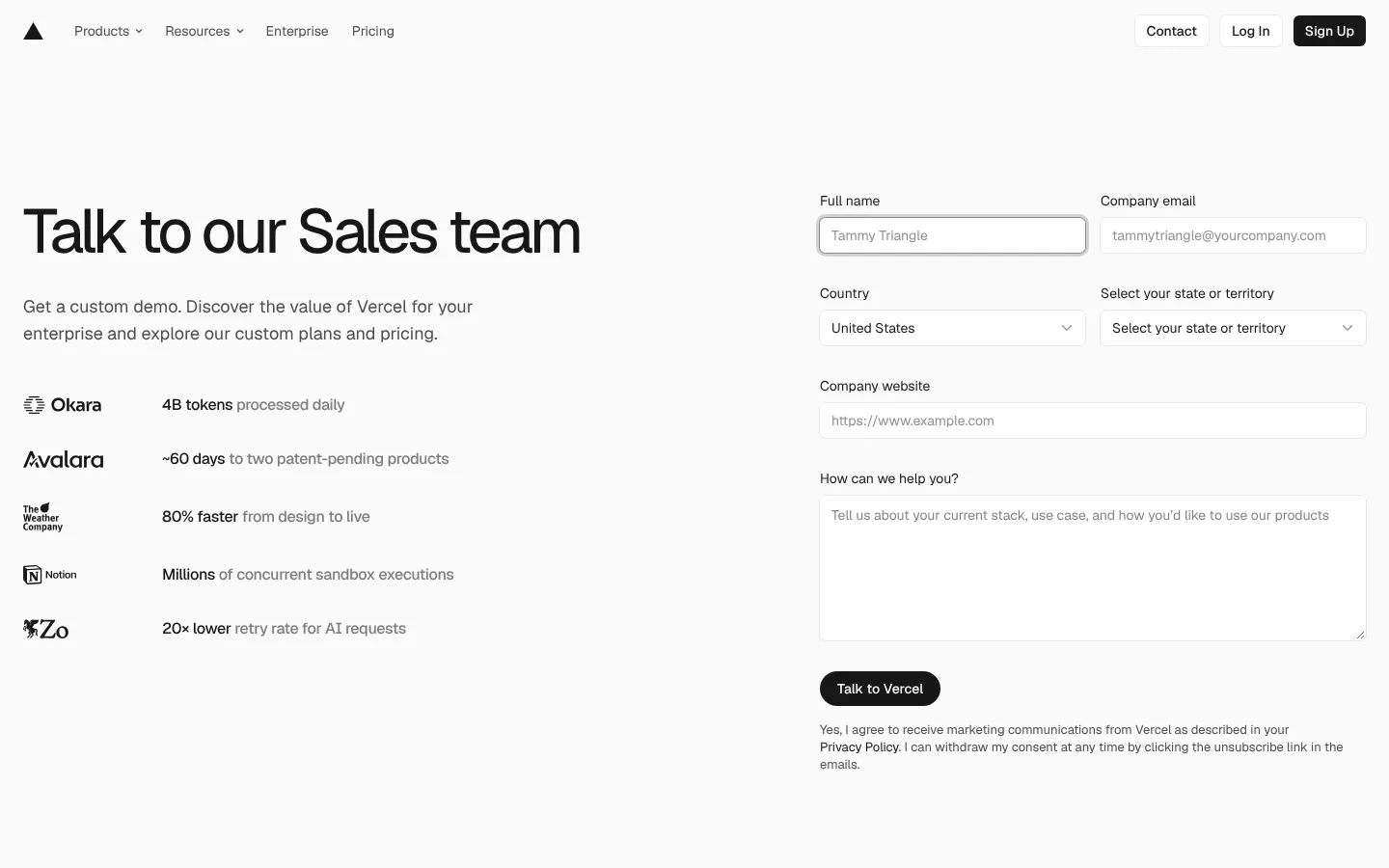
Vercel, a cloud platform for web apps, lists customer results beside its sales form. One reads "80% faster from design to live" and another "20× lower retry rate for AI requests".
Proof helps later in the funnel: visitors who read case studies before any form were 18% more likely to become an opportunity, per HockeyStack. Add one result from your case studies next to each in-post CTA.
8. Add exit paths to long posts

Close, a sales CRM, keeps a sticky sidebar in its pipeline guide with the contents on top and a "Try Close for free" box below.
A sticky sidebar gives readers a way forward anywhere in a 3,000-word post, and a slim bottom bar does the same on phones.
9. Link to money pages from the blog
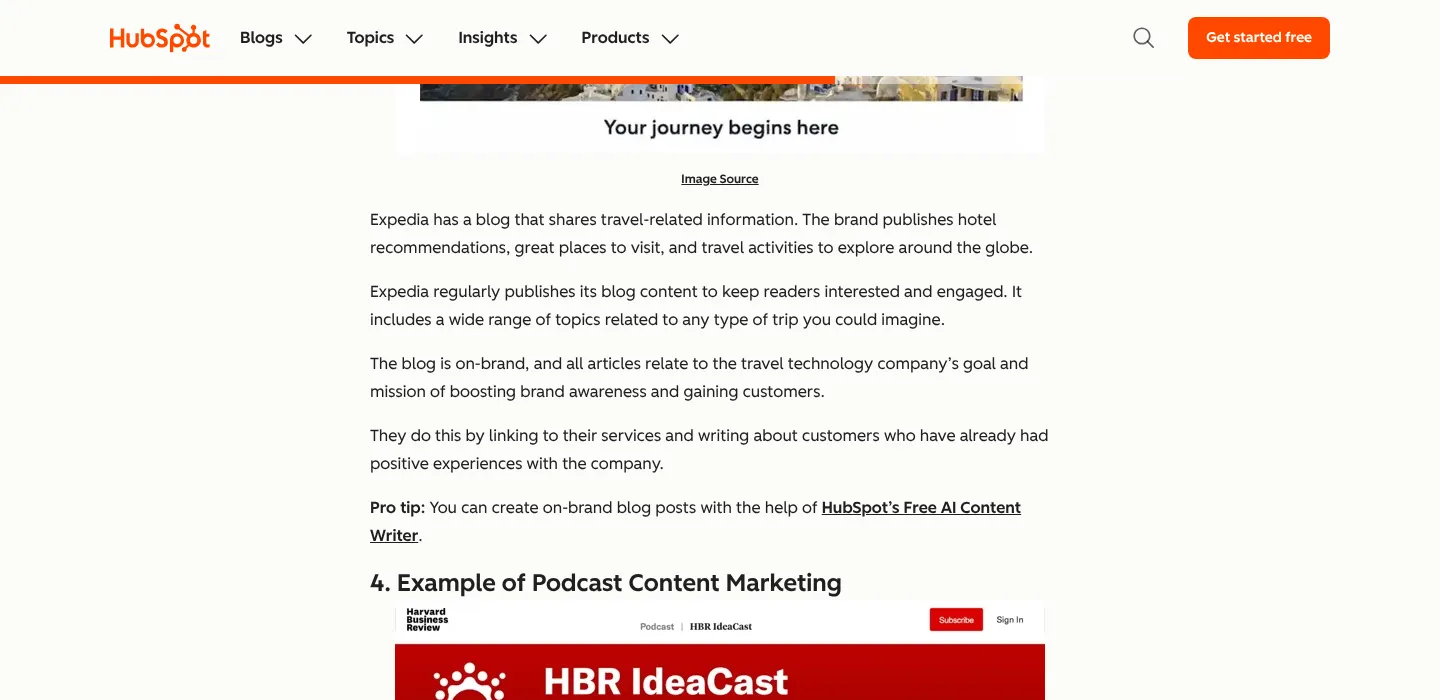
Inside an example about brand blogs, HubSpot links a pro tip to its free AI content writer, where readers already think about writing.
Most blogs link mainly to other posts, so add two or three links per post to demo, pricing, comparison and feature pages with clear anchor text.
What to take from this:
- Place one customer result within a few lines of every call to action.
- Audit your top 20 posts for links to demo, pricing and comparison pages.
Fixes 10 to 12: remove doubt and measure what works
10. Show pricing, or a clear path to it
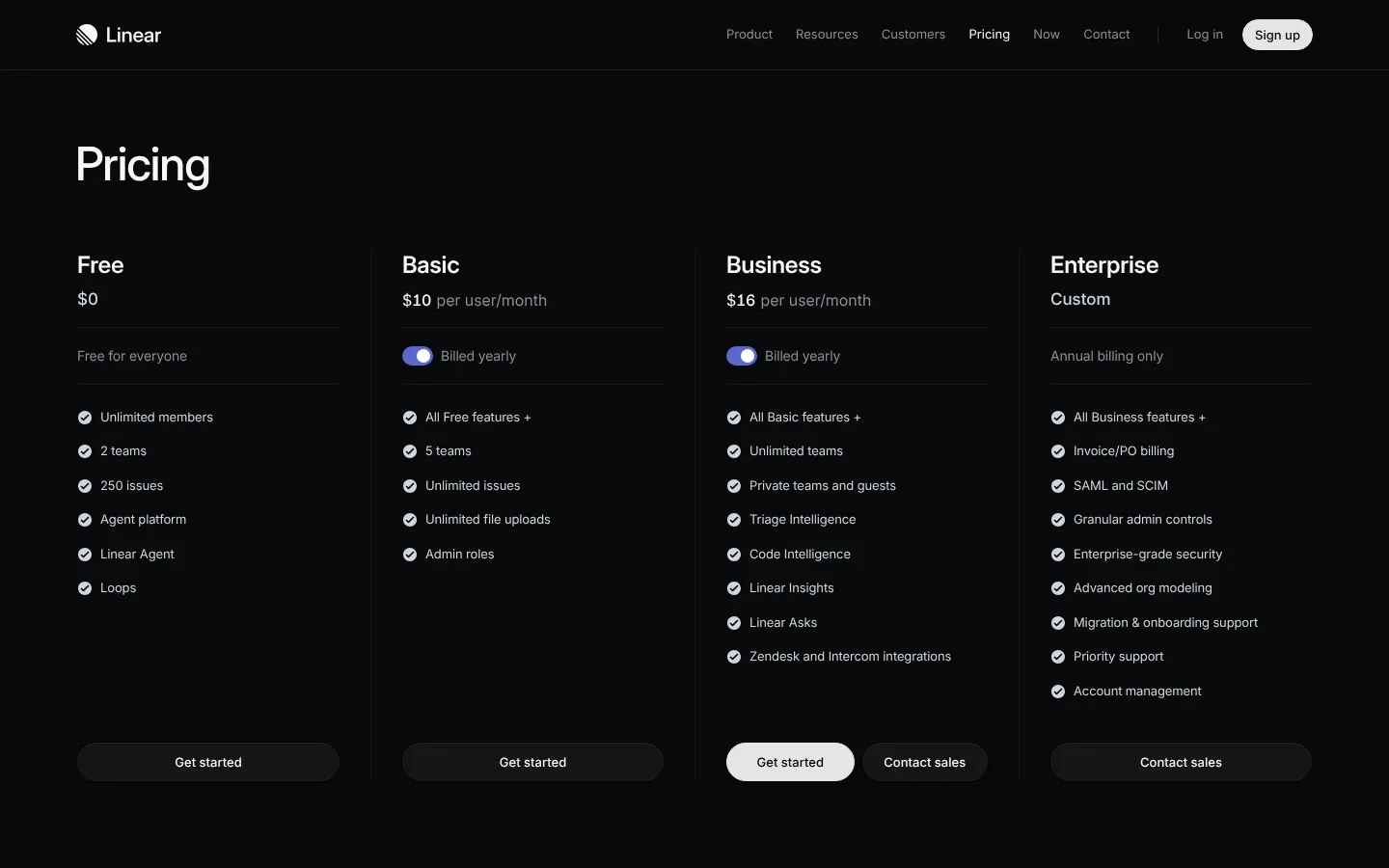
Linear lists four plans, from Free at $0 to Business at $16 per user a month billed yearly, and only Enterprise has a custom price.
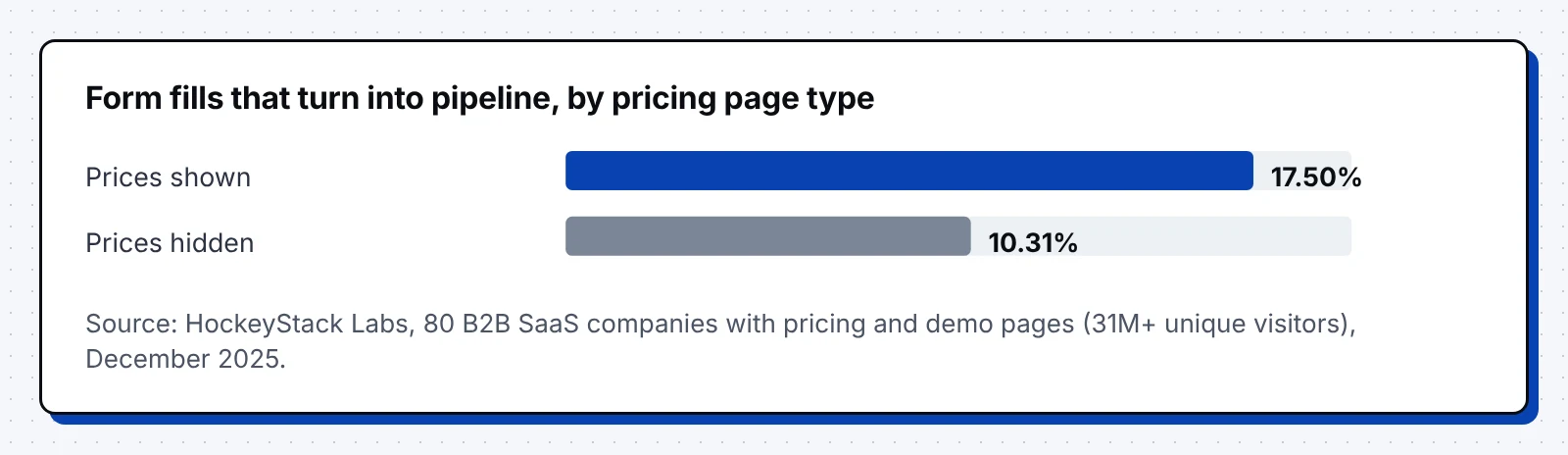
Pricing pages draw 16.5% of B2B SaaS site traffic in the HockeyStack data. Form fills from pages with visible prices became pipeline at 17.50%, against 10.31% when prices were hidden.
11. Give readers a reason to come back
Most B2B buyers won't book on their first visit, so the second visit matters. Returning visitors convert at 2.9%, against 1.7% for new visitors, across 99 billion sessions in Contentsquare's benchmarks.
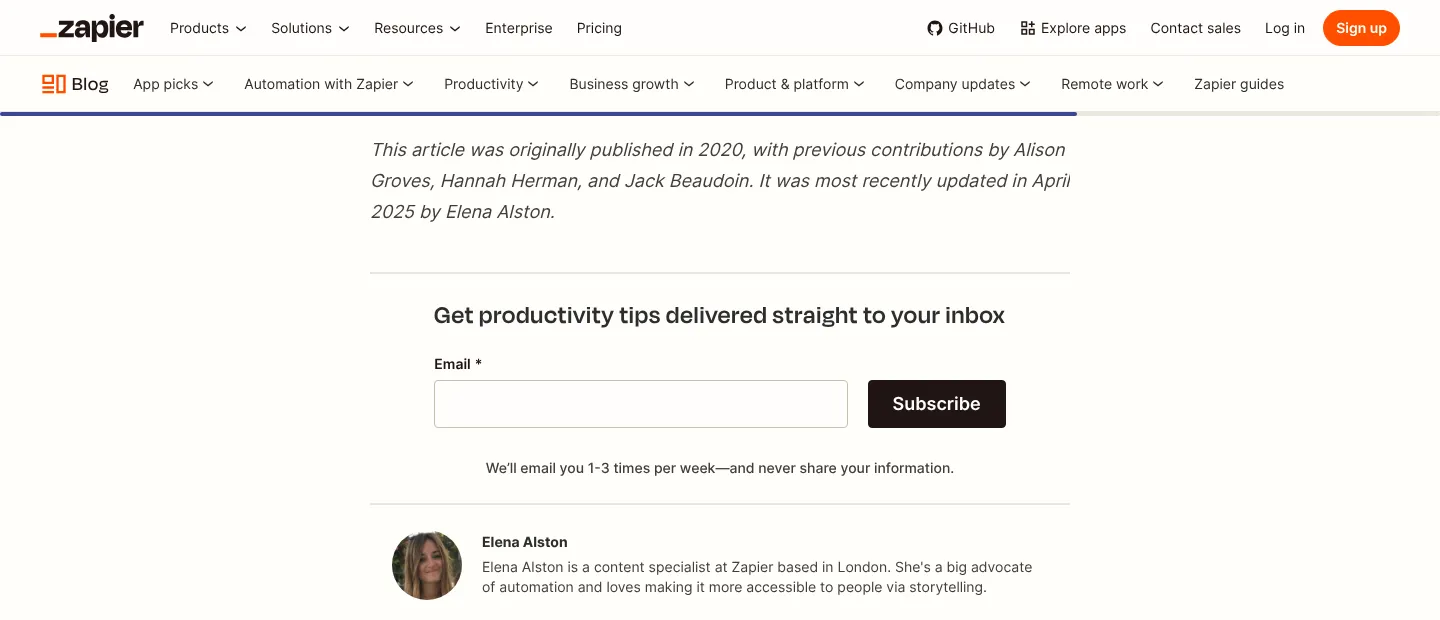
Zapier ends its posts with a newsletter box promising one to three emails a week. Our guide to content activation strategy shows how to reuse each post in email, sales and ads.
12. Measure every step from post to pipeline
Track each step as its own event, and send the first page and last post read into your CRM with every form fill.
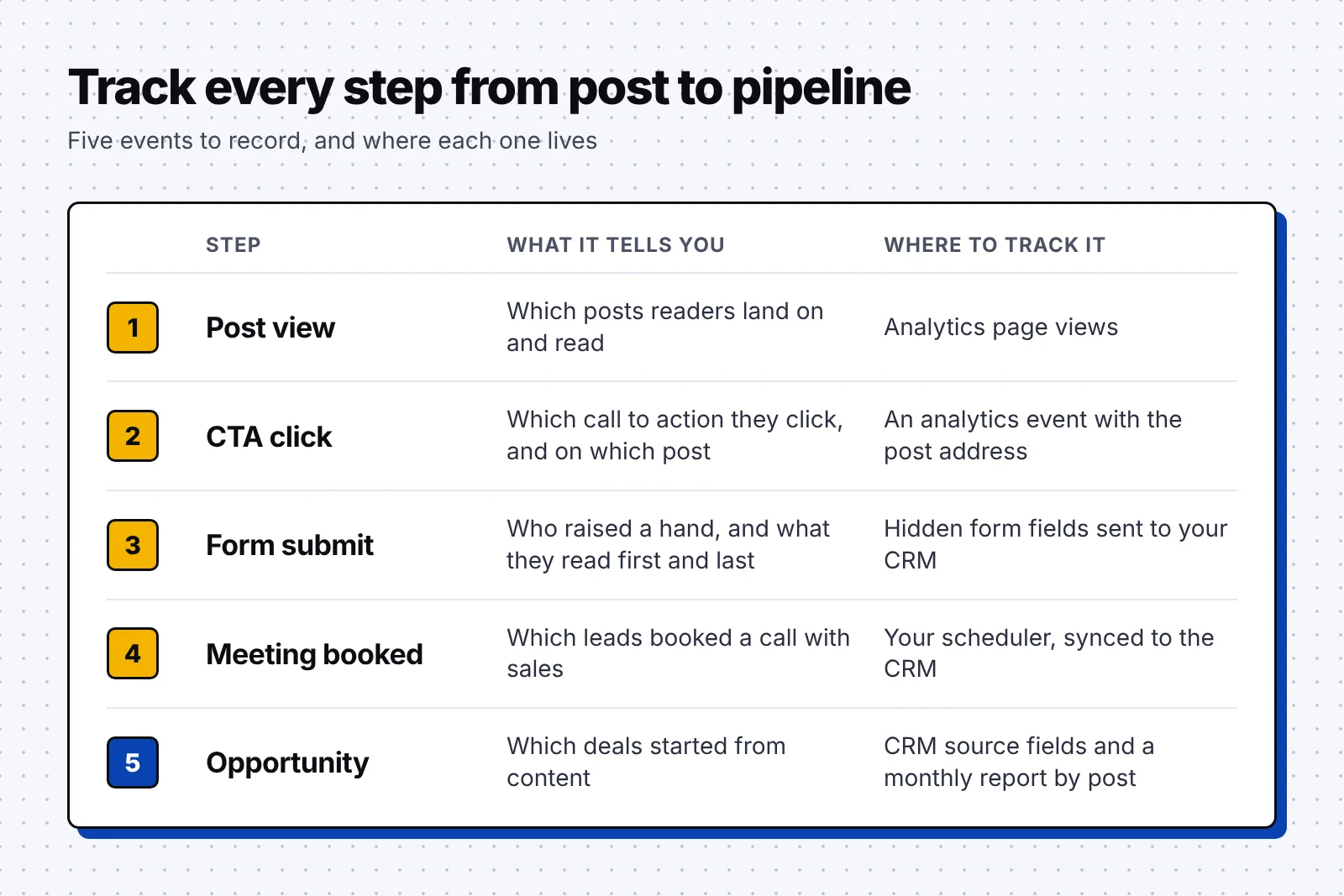
Build a monthly report by post, sort it by meetings and opportunities, and put next quarter's updates into the ten high-traffic posts with the fewest meetings.
What to apply on your blog:
- Link to pricing from every post that compares options or tools.
- Add a hidden field for the first and last post to every form.
FAQ
How do you make content convert?
Match each post's offer to the search intent, then place calls to action inside the body where the advice meets your product. Back that up with comparison pages, a demo path, proof near each CTA and tracking from post to pipeline.
What is a good conversion rate for B2B content?
Across 13 industries, 4.9% of organic search visits turned into a qualified lead or sale in 2026, and software sites reached 7.9%, in Ruler Analytics data. Blog posts usually sit lower, since many readers are early in their research.
Where should you put a call to action in a blog post?
Put the first one after the opening section, then add more wherever the advice touches the problem your product solves. A sticky sidebar or a slim bar on mobile gives readers a way forward anywhere in a long post.
What are good call to action examples for B2B blogs?
Strong examples name the next step, such as HubSpot's "Get Your Free Template" or Pipedrive's "Try Pipedrive for free. No credit card needed." Zapier's "Try it" buttons on workflow templates work well because they continue the advice.
Why does a blog get traffic but no leads?
Most often, the posts target informational keywords and offer a demo that doesn't fit the reader's stage. Fix the offer first, then add links to demo, pricing and comparison pages, and check what happens after the form.
Check what your five most visited posts ask the reader to do next this week. To run that review with us, book a discovery call with our team.