LinkedIn newsletter
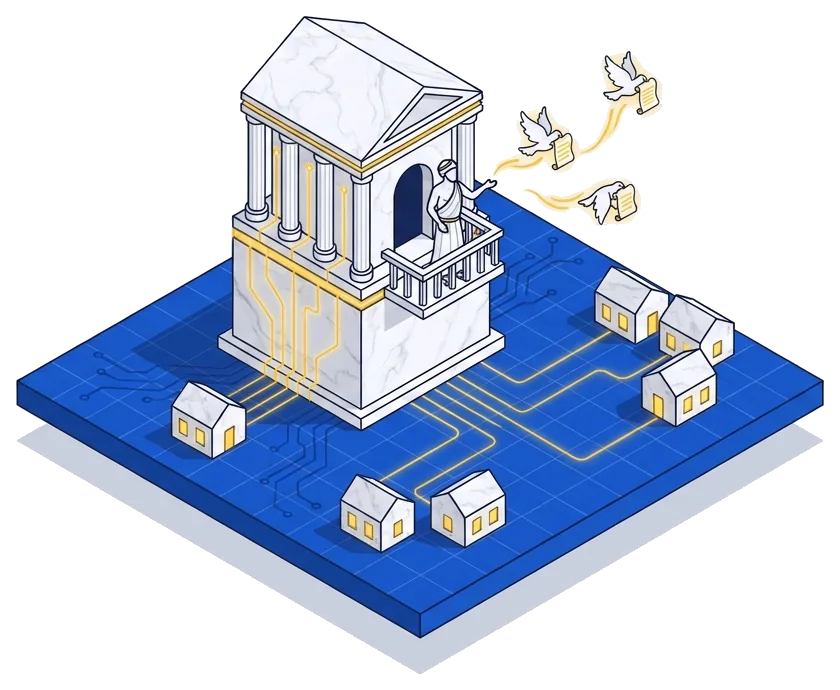
A LinkedIn newsletter is a series of articles you publish on LinkedIn, as yourself or as a company Page, that people subscribe to. Every new edition sends subscribers a push, in-app and email notification, so a CFO's monthly "Close Notes" lands in finance leaders' inboxes without a separate email tool.
What is a LinkedIn newsletter?
A LinkedIn newsletter is a series of long-form articles published on LinkedIn under one title, with a set rhythm like weekly or monthly. People hit Subscribe, and from then on LinkedIn tells them every time a new edition goes out.
It sits between a regular LinkedIn post and an email newsletter. You write in LinkedIn's article editor and the edition shows up in the feed like a post. Subscribers also get it by email. You don't need an email platform or a sign-up form. The subscriber list lives on LinkedIn.
Let's say you sell a close management tool for finance teams. Your CFO starts a monthly newsletter called "Close Notes", with one lesson from a month-end close in each edition. Every controller who subscribes gets an email from LinkedIn when a new one is out, with her name on it.
How LinkedIn newsletters work
The rules are short, and they're all in LinkedIn's help center:
Any LinkedIn member can start a newsletter. For a company Page, you need to be a super or content admin, and the Page also needs recent original posts and a clean record under LinkedIn's community policies.
Here's what happens each time you publish:
The path of one newsletter edition
- 1You write the edition in LinkedIn's article editor
- 2You publish it to your newsletter
- 3It appears in the feed as a post
- 4Subscribers get a push, in-app and email notification
- 5Each open of the article counts as an article view
When you launch, LinkedIn helps you fill the list. Page followers are invited by notification to subscribe once the first edition is out, and members can invite their connections and followers when they create the newsletter. After that, people who follow you get prompted to subscribe.
Why LinkedIn newsletters matter for B2B SaaS
Your buyers already spend time on LinkedIn, and a newsletter gets you into their inbox from there. Here's why I like it for B2B SaaS teams:
- It reaches the inbox without the cold email: Subscribers asked for it, and LinkedIn delivers it. That's a lot easier than building an email list from zero.
- It starts with your existing network: A founder with 8,000 connections can invite all of them on day one. An email newsletter starts at zero.
- It holds deeper thinking than a post: Posts are great for one idea. An edition can walk through a full framework, a teardown or a quarter's lessons, which is where thought leadership earns trust.
- You can see who's reading: LinkedIn's newsletter analytics show subscriber job titles, companies, company size, seniority and location. You can check that your ICP is the one subscribing.
In my Knowledge-Narrative content strategy, a person-led newsletter is a strong home for the Narrative part. The blog carries the Knowledge, and the newsletter carries the opinions and stories that make people remember who wrote it.
How to run a LinkedIn newsletter well
Here's my process for founders and experts:
- Pick one narrow promise: "One lesson from a month-end close" beats "finance insights". The name and description should tell a controller exactly what she'll get.
- Publish from a person: People follow people, so I'd start from the founder's or a subject expert's profile and use a Page newsletter for company research.
- Keep the rhythm you promise: If you say monthly, publish monthly. Readers get used to the date, and a missed month breaks the habit.
- Write one idea per edition: Lead with the point, back it with one real example and end with a question readers can answer in the comments.
- Link to your best pages: Add one link per edition to a deeper guide or tool on your site. That gives readers a next step and you a way to track interest.
- Get help with the drafts: A busy founder can talk through an idea for 20 minutes and approve a draft. That's how ghostwriting for newsletters works at its best.
A LinkedIn newsletter example
I walked through NVIDIA AI's LinkedIn newsletter, AI Insights for Business, in my guide to B2B SaaS marketing strategies. It's a good model of a company newsletter: one clear topic, written for the engineers and tech leaders NVIDIA wants to reach.
For a person-led version, go back to the hypothetical CFO and "Close Notes". Her first three editions could look like this:
| Edition | Topic | Link to |
|---|---|---|
| 1 | Why our close took 12 days and what cut it to 6 | A guide to month-end close checklists |
| 2 | The reconciliations controllers skip most often | A free reconciliation template |
| 3 | What auditors asked us for first | A page on audit trails in the product |
Each edition is one story from her own work, with one link to a page that goes deeper. That's the pattern I'd copy.
How to measure a LinkedIn newsletter
LinkedIn's newsletter analytics give you most of what you need. Here's what I check:
- New subscribers: Growth over time, plus the list of recent subscribers so you can spot ICP accounts.
- Article views: LinkedIn counts a view each time a member opens an edition, from the article page or the email.
- Subscriber demographics: Job titles and company size tell you whether the right buyers are reading.
- Clicks and pipeline: Add UTM tags to the links in each edition and watch demo requests from those visits in GA4 or your CRM.
Common LinkedIn newsletter mistakes
- Turning it into company news: Feature launches and hiring updates belong in posts. Subscribers signed up for ideas.
- Starting too broad: A newsletter about "B2B growth" competes with thousands of others. A narrow topic is easier to subscribe to.
- Publishing and walking away: Share each edition with a short post of its own and reply to comments in the first hours.
- Relying on LinkedIn alone: The subscriber list lives on LinkedIn's platform. Invite readers to your own email list too, so a change in the platform doesn't cost you the audience.
Here's a question to take to your next content meeting. If your founder wrote one edition a month for a year, what would the twelve topics be?
Read more

FAQ
Who can create a LinkedIn newsletter?
According to LinkedIn's help center, every LinkedIn member can create one. A company Page needs a super or content admin to set it up, plus more than 150 followers, recent original posts and a good standing record under LinkedIn's community policies.
How many LinkedIn newsletters can you have?
LinkedIn lets you create up to five newsletters, as yourself or as a Page, and each one can have an unlimited number of editions.
Do LinkedIn newsletter subscribers get an email?
Yes. LinkedIn sends push, in-app and email notifications to all subscribers each time a new edition is published.
Should a B2B SaaS company publish its newsletter from a Page or a person?
People tend to engage more with people than with logos, so I'd start from a founder's or expert's profile. A Page newsletter makes sense when the content is company research or when several authors share it.